71
ifm Programming Manual BasicDisplay CR0452 v03.02 05 / 2018
ifm function elements ifm function elements for the device CR0452
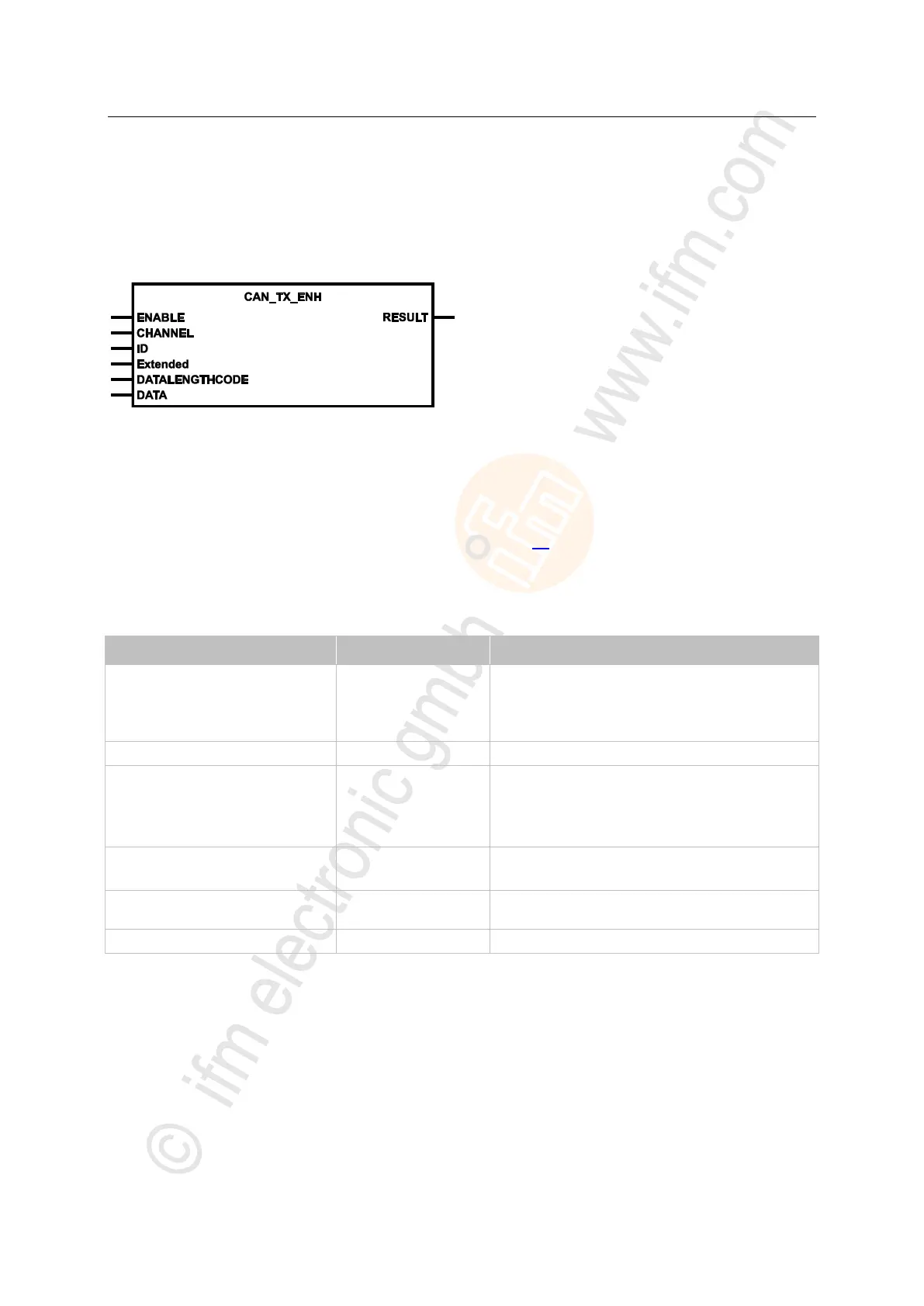
CAN_TX_ENH
7558
= CAN TX enhanced
Unit type = function block (FB)
Unit is contained in the library ifm_RawCAN_NT_Vxxyyzz.LIB
Symbol in CODESYS:
>
Description
7559
Additional setting options are offered through CAN_TX_ENH (for: enhanced). Here, all CAN specific
characteristics can be set individually, e.g.:
Is it an 11 or a 29 bit identifier?
The additional inputs can be preset so that CAN_TX (→ p. 69) is not required.
> If an instance of this FB is called several times during a cycle, the data is also sent several times.
>
Parameters of the inputs
7634
TRUE: execute this function element
Edge: enter the new values
FALSE: unit is not executed
reset internal remote values
CAN interface (1...n) depending on the device
Number of the data object identifier:
normal frame (2
11
IDs):
0...2 047 = 0x0000 0000...0x0000 07FF
extended Frame (2
29
IDs):
0...536 870 911 = 0x0000 0000...0x1FFF FFFF
Extended
(optional use of the parameter)
TRUE: extended Frame (ID = 0...2
29
-1)
FALSE: normal Frame (ID = 0...2
11
-1)
= Data Length Code
number of the data bytes to be sent (0...8)
data to be sent (1...8 bytes)


 To Next Page