★ When the dash cam is Powered ON, it’ll automatically start recording.
★ Press OK Button to stop recording.
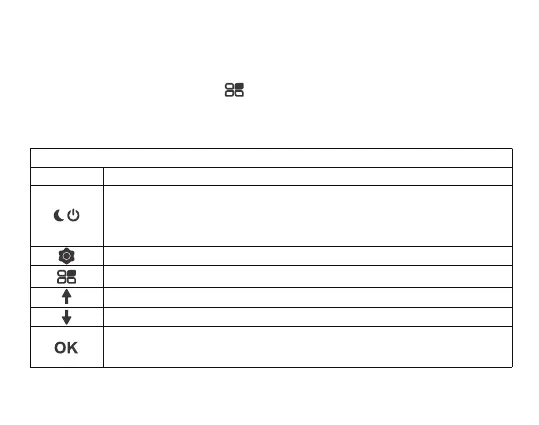
★ Repeatedly press Mode Button “ ” to switch to switch mode, there will be modes:
Video, Photo, Playback.
4. Mode Switching
5. Button Usage and Operation
★ Video Mode
Button Function
· Press this button for 3s to power on and off
· In standby status, video and photo mode, this button is used for night
vision light switch
Shortly press this button to enter into menu settings
In video mode, press the mode button only once to enter the photo mode
In the video state, press this button to turn on/off the microphone
When recording: Manually Lock File
· Start / Stop Video Recording
· Long press this button to turn on/off the LCD display
5


 To Next Page