★ Photo Mode
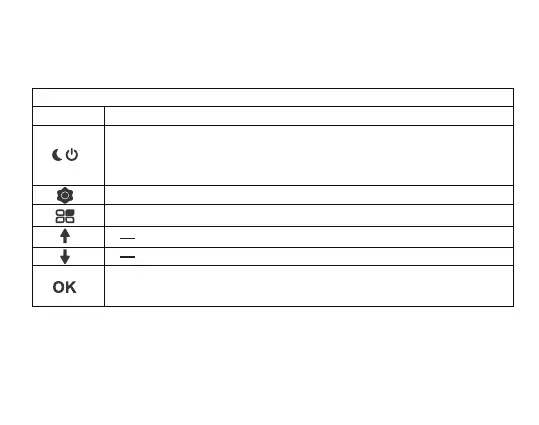
Button Function
· Press this button for 3s to power on and off
· In standby status, video and photo mode, this button is used for night
vision light switch
Shortly press this button to enter into menu settings
In photo mode, press the mode button only once to enter playback mode
· Take a Photo
· Long press this button to turn on/off the LCD display
6



 To Next Page