Enquire Function
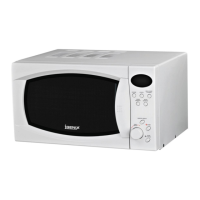
Whilst the microwave is cooking you can press the ‘MICROWAVE’ button to display the current power being
used. It will be displayed for 2-3 seconds.
If you wish check the current time, press the ‘CLOCK/PRESET’ button. It will be displayed for 2-3 seconds
When a pre-set mode has been chosen you can press the ‘CLOCK/PRE-SET’ button to check the time for
the delayed start cooking. This will show for 2-3 seconds then it will return to the normal clock display.
Notes
The buzzer will sound once when turning the control dial at the beginning
If cooking is interrupted and the door opened. ‘START/+30SEC./CONFIRM’ must be pressed to
continue cooking.
Once a cooking program has been set if the ‘START/+30SEC./CONFIRM’ is not pressed in 1 minute
the setting will be cancelled and the current time will be displayed.
Cleaning and Care
1. Turn off the oven and remove the power plug from the wall socket before cleaning.
2. Keep the inside of the oven clean. When food splatters or spilled liquids adhere to oven walls, wipe with
a damp cloth. Mild detergent may be used if oven gets very dirty. Avoid using spray and other harsh
cleaners as they may stain, streak or dull the door surface.
3. Do not allow the control panel to become wet. Clean with a soft, damp cloth. When cleaning the control
panel, leave oven door open to prevent oven from accidentally turning on.
4. If it becomes necessary to replace the oven light, please consult a dealer to have it replaced.
5. The oven should be cleaned regularly and any food deposits removed. Failure to maintain the oven in a
clean condition could lead to deterioration of the surface that could adversely affect the life of the
appliance and possibly result in a hazardous situation.


 To Next Page