Multi Stage Cooking
Some recipes may require setting a multi-stage program involving defrosting, and different power levels. The
following example shows the steps in setting up such a program:
1. Input speed defrost program.
2. Touch MULTI STAGE COOKING button.
3. Input microwave-cooking program.
4. Touch MULTI STAGE COOKING button again.
5. Input another microwave cooking program with probably lower power level settings.
6. Touch START button.
NOTE:
The respective lights will come on to indicate which stage the oven is operating in.
Auto Cook
For food or the following cooking mode, it is not necessary to program the duration and the cooking power. It is
sufficient to indicate the type of food that you wish to cook as well as the weight of this food. In order to do this,
rotate the TIME/MENU button to select a category of food/cooking mode, and then press WEIGHT ADJUST to
indicate weight of food to be cooked. The oven begins cooking once the START button is engaged.
You may need to turn food over at the middle of cooking time to obtain uniform cooking.
For example: to cook 400g of fish.
1.
Turn TIME/MENU dial to select the food you are about to cook.
2.
Press WEIGHT ADJUST a number of times to indicate food weight.
3.
Press START button.
Auto Cook Menu
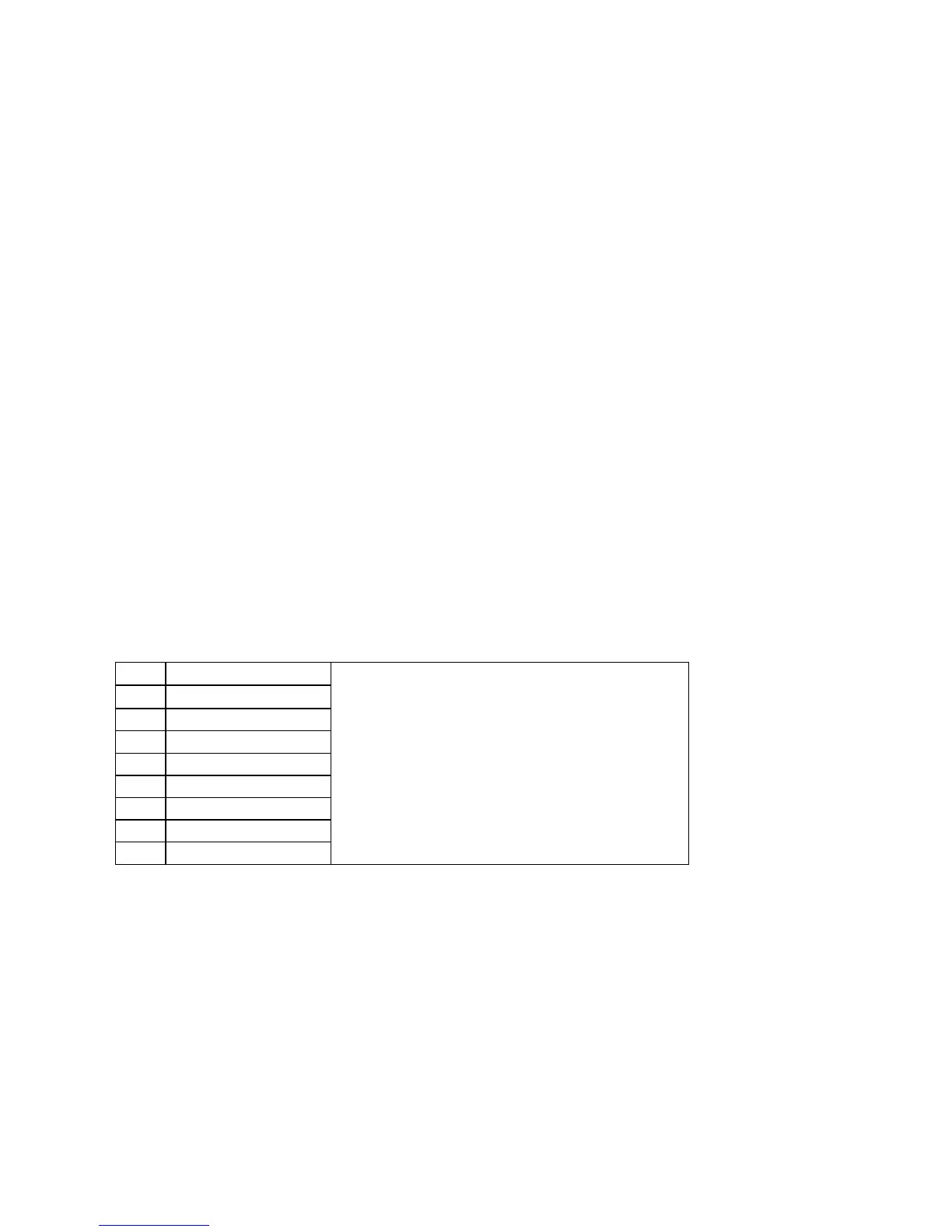
Code Food / Cooking mode
1 Coffee (each 200ml)
2 Rice (g)
3 Pasta (g)
4 Potato (each 230g)
5 Auto Reheat (g)
6 Fish (g)
7 Pizza (g)
8 Popcorn (99g)
1. Turn TIME/MENU dial to indicate weight of food.
2. The result of auto cooking depends on factors
such as fluctuation of voltage, the shape and size
of food, your personal preference as to the
doneness of certain foods and even how well you
happen to place food in the oven. If you find the
result at any rate not quite satisfactory, please
adjust the cooking time a little bit accordingly.
3. For Spaghetti add boiling water before cooking.
Child Lock
Use to prevent unsupervised operation of the oven by children. The CHILD LOCK indicator will show up on
display screen, and the oven can not be operated while the CHILD LOCK is set.
To set the CHILD LOCK Press and hold the STOP/CANCEL button for 3 seconds, a beep sounds and LOCK
indicator lights.
To cancel the CHILD LOCK Press and hold the STOP/CANCEL button for 3 seconds until lock indicator on
display goes off.


 To Next Page