88
MAINTENANCE
Cleaning the unit
• Turn off the unit, wait for the fan to stop and unplug from the power socket.
• Clean the surface with a soft damp cloth.
• Dry thoroughly with a towel after cleaning.
• In order to avoid damage, do not wash the machine with water, or let water drip
into the air inlet or outlet.
Cleaning the lter
• If the lter is covered with dust, the airow and the performance of the unit will be affected. It is
recommended to check and clean the air lter every 2 weeks.
• Turn off the unit and remove the lter from the unit.
• Clean the nano-silver lter only with a vacuum cleaner. (Washing will weaken the germicidal effect
of the lter)
• Replace the lter in position.
Before storing
• Turn off the unit, wait for it to stop and unplug from the power socket.
• Clean and dry the water tank. Leave the unit to drain for approximately one day.
• Clean the lter and the unit. Cover the unit to prevent it from gathering dust. Store upright in
a cool dry place.
• Do not expose to direct sunlight.
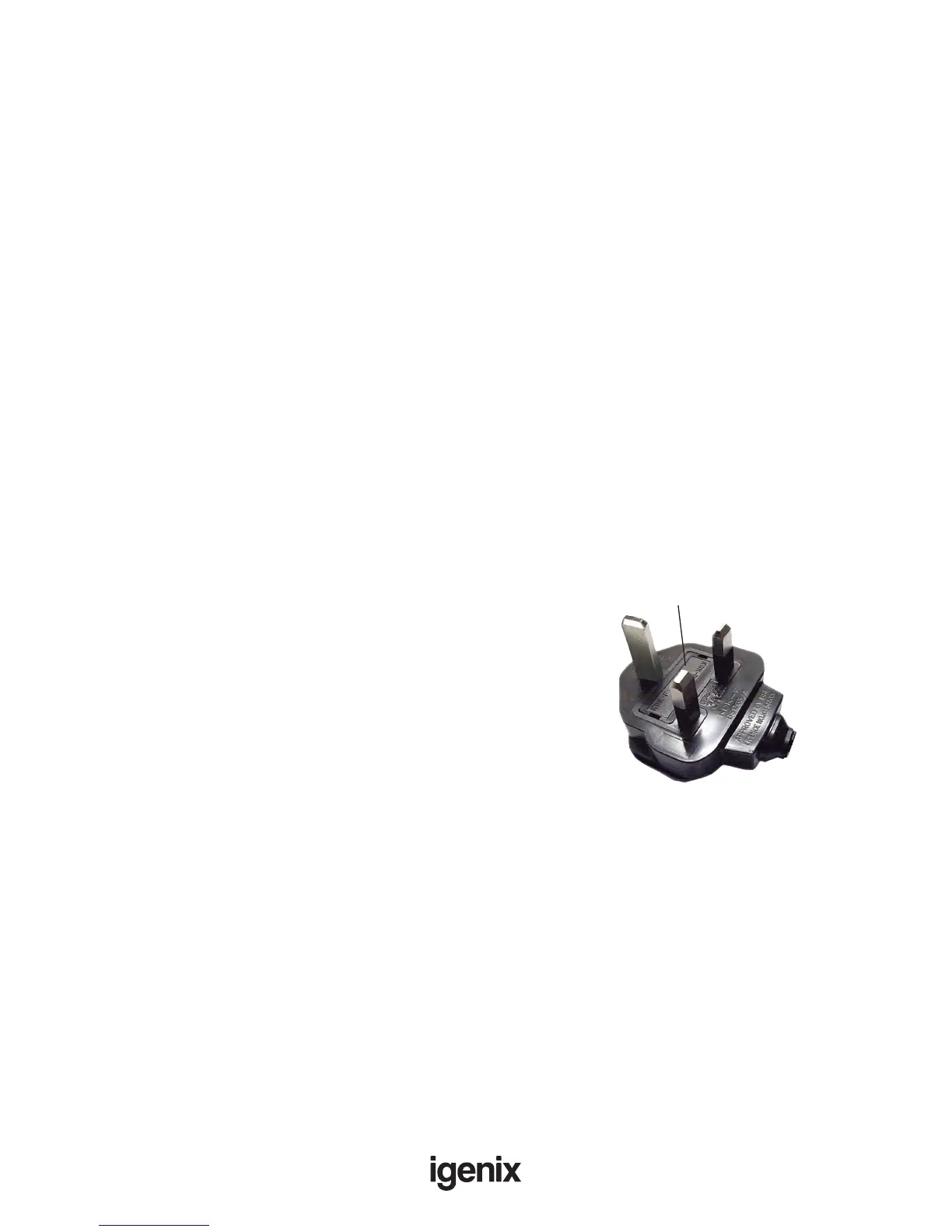
Fuse Cover
Fuse Replacement (Class I)
This appliance must be eathed. Remove the fuse cover with a small
at head screw driver. Take out the fuse and replace with a new fuse
of the same Amp. Replace the fuse cover and push back into place.
MAINS PLUG FUSE REPLACEMENT


 To Next Page