EasyManua.ls Logo

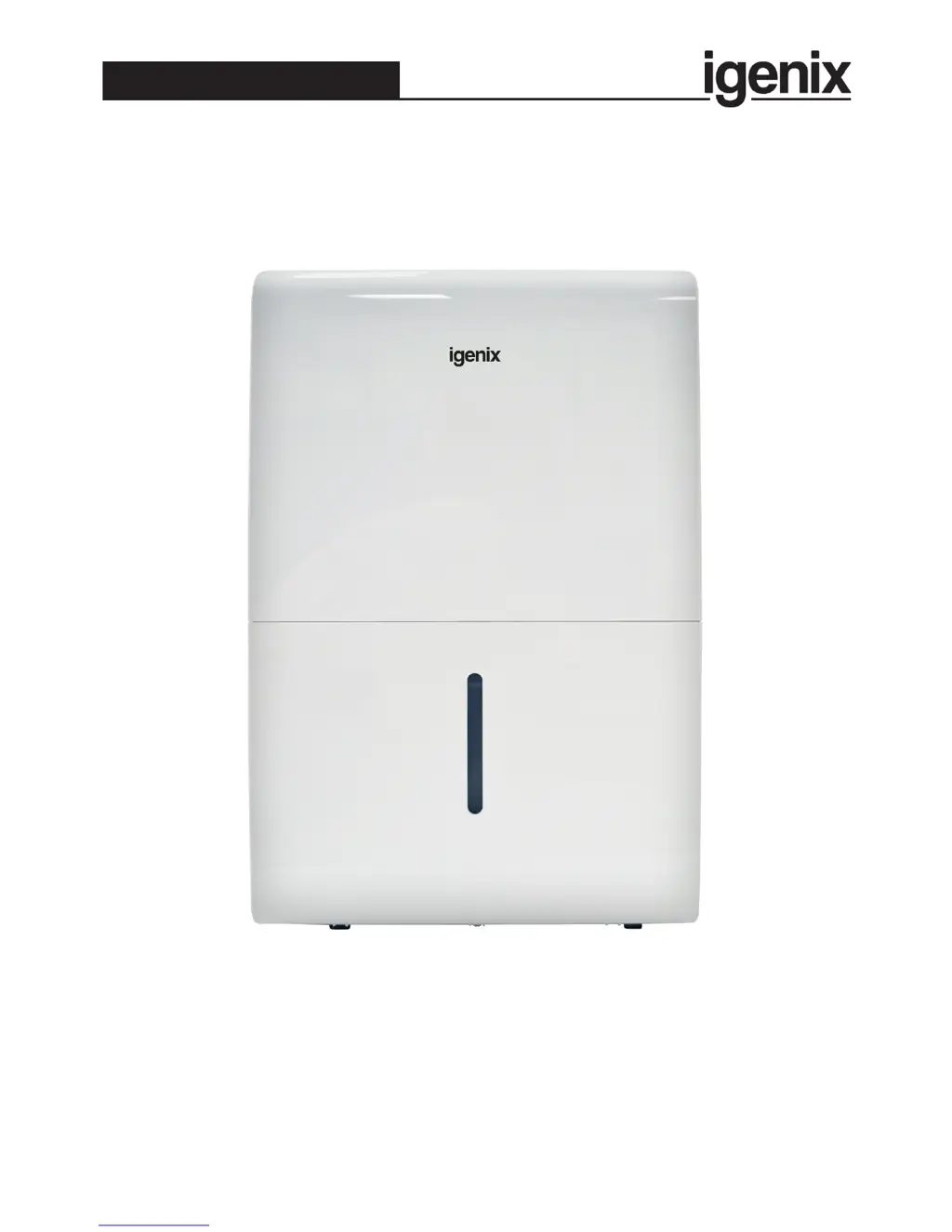
iGenix IG9851 - User Manual

iGenix IG9851
20 pages
Print Icon
To Next Page IconTo Next Page
Loading...
Please read these instructions carefully before use and retain for future reference
Before switching on your appliance,
always check for any damage which may have been caused in transit
IG9851
Batch code:
50 Litre Dehumidier White
USER MANUAL

Questions and Answers

  • J
    jamiemurrayAug 3, 2025
    What to do if my iGenix Other unit does not start?
    • B
      bdanielsAug 3, 2025
      If your iGenix Other unit doesn't start, first check the mains power supply and press the Stand-By button to switch the appliance to ‘On.’ Also, if the water tank is full, press the Stand-By button to switch the appliance to standby mode and disconnect it from the power, remove the water tank, dispose of the water, reinsert the tank, reconnect to the power supply, and press the Stand-By button again. Finally, make sure the water tank is correctly installed in the appliance.
  • J
    Jacob DuncanAug 11, 2025
    Why is my iGenix Other leaking?
    • B
      Briana PerryAug 11, 2025
      If your iGenix Other unit is leaking, make sure the water tank is positioned correctly inside the appliance. If that's not the reason, unplug the unit and allow the temperature to rise, as the unit may have frozen. Also, ensure the plastic cap is securely fastened to the Continuous Drainage outlet. Finally, check that the drain hose is securely fastened to the Continuous Drainage outlet and that there are no kinks or holes in the hose.
  • S
    Susan CabreraAug 18, 2025
    What to do if iGenix IG9851 Other is not collecting water?
    • A
      Anthony HopkinsAug 18, 2025
      If your iGenix Other unit isn't working efficiently or collecting water, ensure there is adequate clearance around the appliance and no blinds or furniture are blocking it. Make sure all external doors and windows are securely closed to avoid excessive ventilation. Also, the dehumidifier will not operate if the room humidity is already below the set level. Lastly, clean the air intake filter of any obstructions.
  • A
    Ashley BranchAug 27, 2025
    How to fix a noisy iGenix Other?
    • C
      Christopher RangelAug 27, 2025
      If your iGenix Other unit is making a loud noise, try repositioning it on an even, stable surface, as the floor may be uneven.

Summary

Important Safety Instructions

Intended Use

Specification

Appliance Overview

Control Panel

Operating Instructions

Appliance Location

Details on where to position the dehumidifier for optimal performance and air circulation.

Functions

AUTO Mode

Automatic dehumidification with adjustable fan speed.

MANUAL Mode

Manual humidity and fan speed selection for dehumidification.

TURBO Fan Speed

Switches between normal and high fan speeds for moisture removal.

TIMER Function

Programmable timer to switch the unit on or off after a set period.

FROST PROTECTION

AUTO-RESTART

WATER EXTRACTION

Using the Water Tank

Instructions for emptying the water tank manually.

Continuous Draining

How to set up automatic water drainage via a hose.

CLEANING AND MAINTENANCE

End of Season Maintenance

TROUBLE SHOOTING GUIDE

Error Codes

MAINS PLUG FUSE REPLACEMENT

DISPOSAL INFORMATION

Warranty Terms & Conditions

iGenix IG9851 Specifications

General IconGeneral
BrandiGenix
ModelIG9851
CategoryOther
LanguageEnglish