65
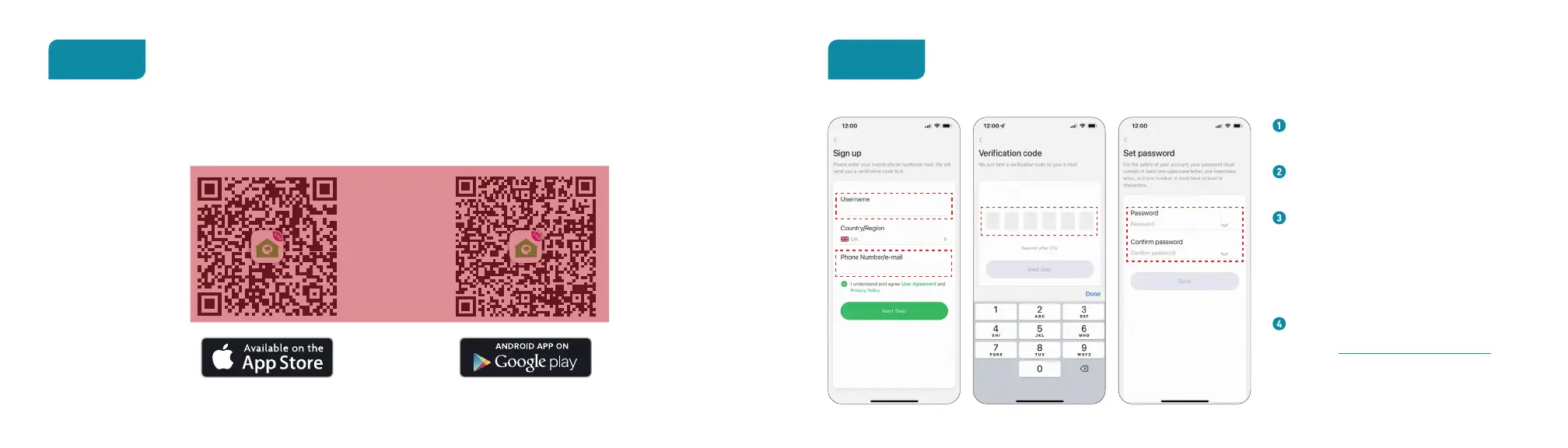
Get the App
Step 1
For the best experience, download the Homeguardsmart app for your smartphone by scanning the QR code below or searching for
“Homeguardsmart” in the app store.
Account Register
Step 2
Open Homeguardsmart App, then select
Sign up.
Create a password at least 8 characters
long.Your password must include three
of the following:
• At least one uppercase letter
• At least one lowercase letter
• At least one number
You will receive a verification code to your
registered mobile phone or e-mail.
Set up a password and write down as
record:


 To Next Page