11
EN
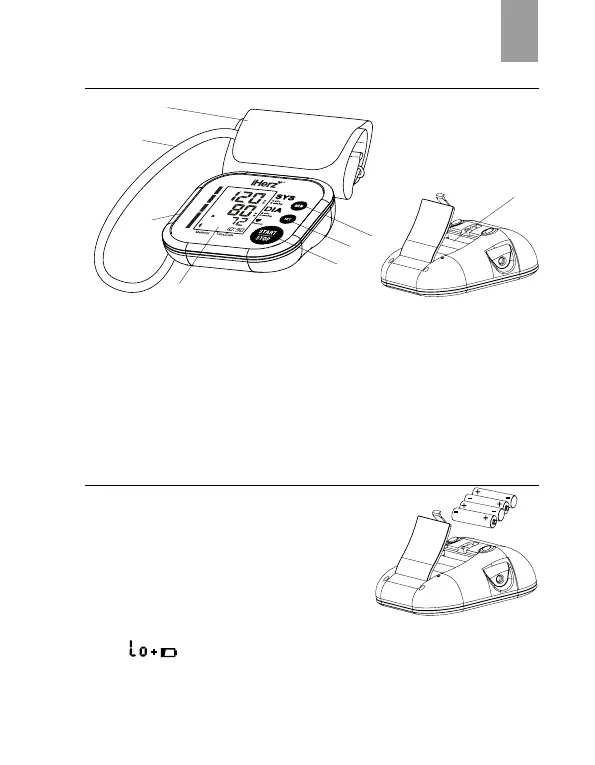
Description of the Blood Pressure Monitor
1. AIR CONNECTOR PLUG
2. LCD DISPLAY
3. MEM BUTTON
4. SET BUTTON
5. START/STOP BUTTON
6. CUFF
7. AIR HOSE
8. BATTERY COMPARTMENT
Installing and Replacing the Batteries
• Open the battery cover.
• Install the batteries as indicated in the battery
compartment.
(Always select the authorized / specied
battery: Four AAA-size batteries).
• Replace the battery cover.
Replace the batteries whenever the below happen
• The
shows
• The display is dim
• The display does not light up
6
7
1
3
5
4


 To Next Page