17
EN
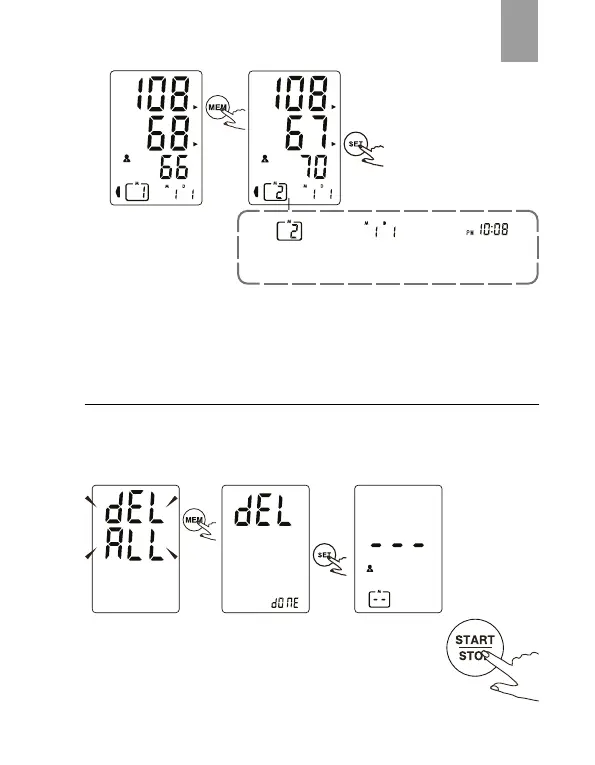
The date and time of
the record will be shown
alternately.
CAUTION
The most recent record (1) is shown rst. Each new measurement is
assigned to the rst (1) record. All other records are pushed back one digit
(e.g., 2 becomes 3, and so on), and the last record (60) is dropped
Delete Memories
If you did not get the correct measurement, you can delete all results
by following steps below.
1. Hold pressing “MEM+SET” for 3 seconds when the monitor is in the
memory recall mode ,the ash display will show.
2. Press “SET” to conrm deleting and the monitor will
turn o.
3. If you don’t want to delete the records, press “START/
STOP” to escape.
4. If there is no record, the right display will show.
The current No. is No 2.T he corresponding
time is P.M. 10:08.
The corresponding
date is January 1st.


 To Next Page