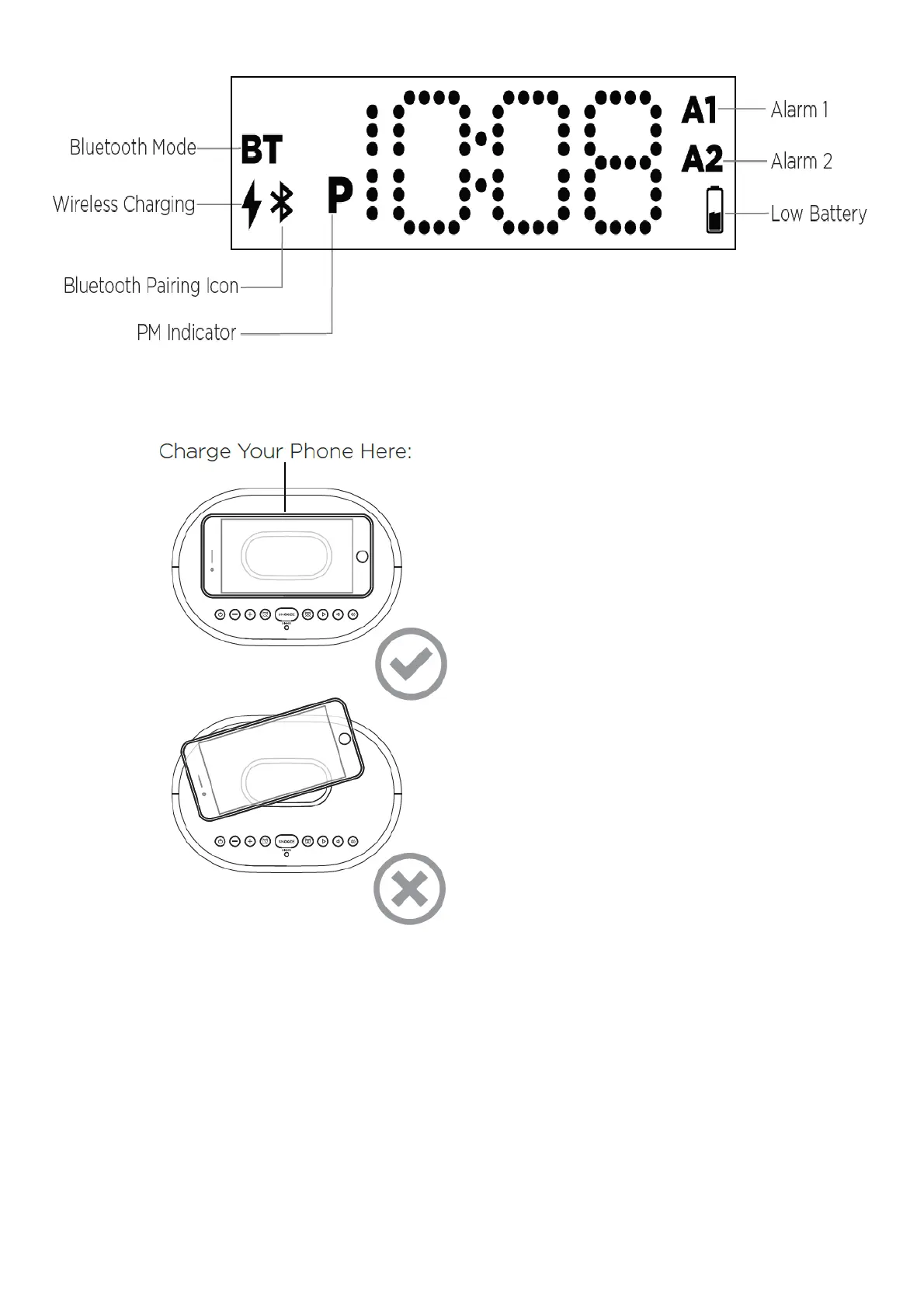
The Display
Using Qi Wireless Charging
This unit will wirelessly charge Qi compatible wireless charging phones. Place Qi compatible device face up on
charging pad.
Check the lightning icon on the iBTW41 display for charging status:
Slow blinking icon: Device is charging properly.
Solid icon: Device is charged.
Rapid blinking icon: Device is not charging properly. Reposition device.
Note: The lightning icon may continue to blink slowly when iOS devices are fully charged.
CAUTION: Remove metal protective or magnetic case from phone before charging. When charging phone, do not
place magnetic-striped or other metal objects on the charger. Doing so could damage the object or this unit. Qi
compatible phones with metallic looking finishes will charge normally.
Setting and Using the Alarms
This unit features dual alarms which can be set to different times and alarm sources. Each is set in the same way.



 To Next Page