1. Press and hold the Bluetooth Pairing Button on the back of the iBTW41 for 2 seconds.
2. Select ‘iHome Timeboost’ on your device’s Bluetooth menu to connect.
3. If pairing is successful, the Bluetooth indicator appears solid on the clock display, indicating the iBTW41 is ready
to play music.
4. To reset Bluetooth settings, press and hold the Bluetooth Pairing Button for 10 seconds.
Playing Audio Via Bluetooth
Press the Play/Pause/Speakerphone Button on the unit to play or pause audio from your linked Bluetooth device.
Using the Speakerphone
The iBTW41 must be ON and connected to a Bluetooth device in order to receive calls.
Press the Play/Pause/Speakerphone Button to accept an incoming call.
Press and hold to end or ignore a call.
Using Voice Commands
The iBTW41 must be ON and connected to a Bluetooth device to use voice commands.
Press and hold the Play/Pause/Speakerphone Button for 2 seconds to activate Siri or Google Assistant.
Charging Devices Via USB Port
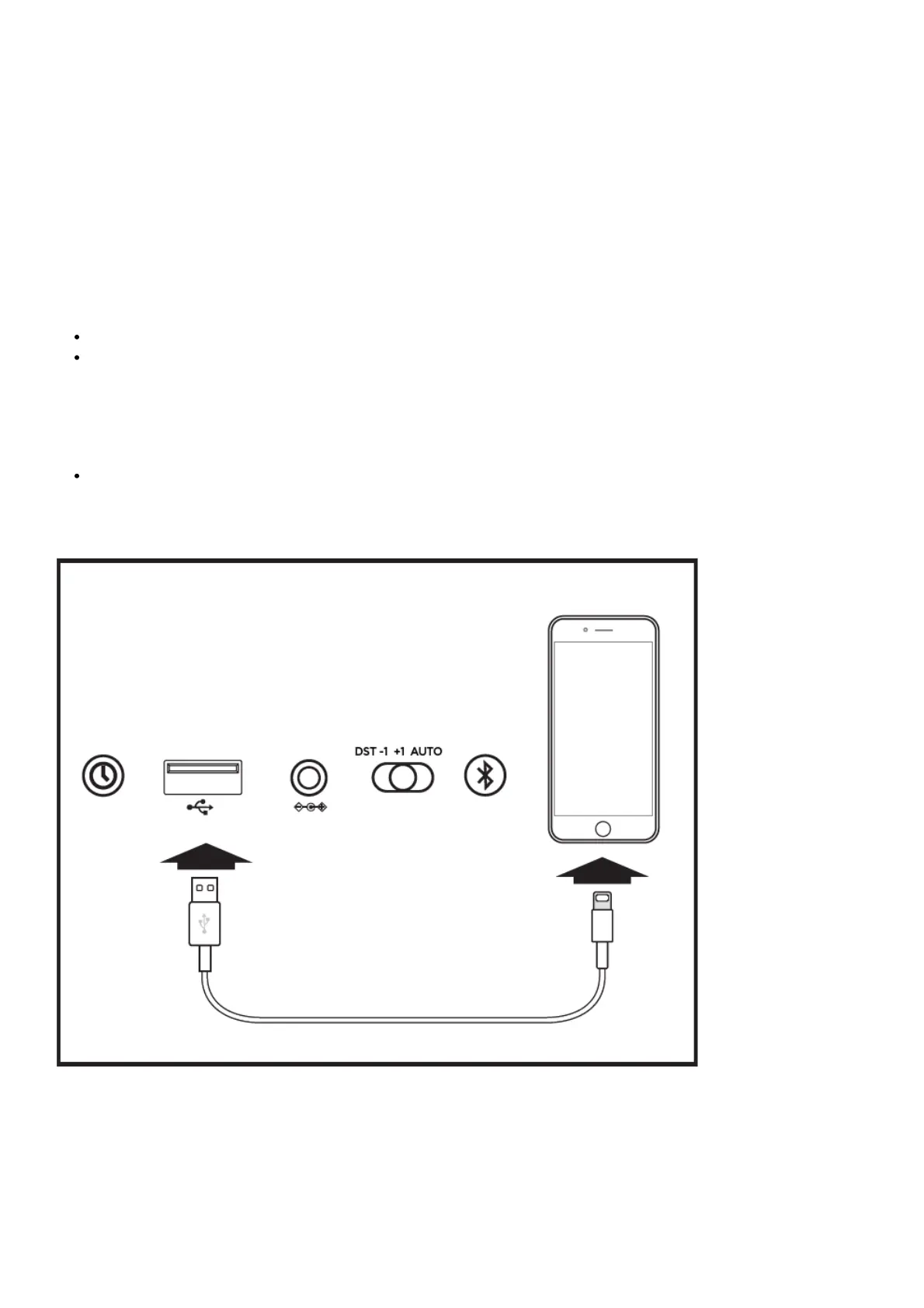
1. Connect the standard size end of a USB cable (not included) to the USB port on the back of the unit and
connect the other end to the charging port on your device.
2. Monitor the charging on your device. Some devices use a proprietary charging method and will not charge using
the USB port. If this happens, you must charge your device using the charger that came with it.
NOTE: Unit must be plugged into working outlet to charge devices.
Battery Back-Up



 To Next Page