CHARGING DEVICES VIA USB
The unit comes with a CR-2450 back-up battery installed to maintain
clock settings in the event of a temporary power failure. Remove the
battery pull tab before use. When the battery icon on the display is
flashing, it is time to replace the back-up battery.
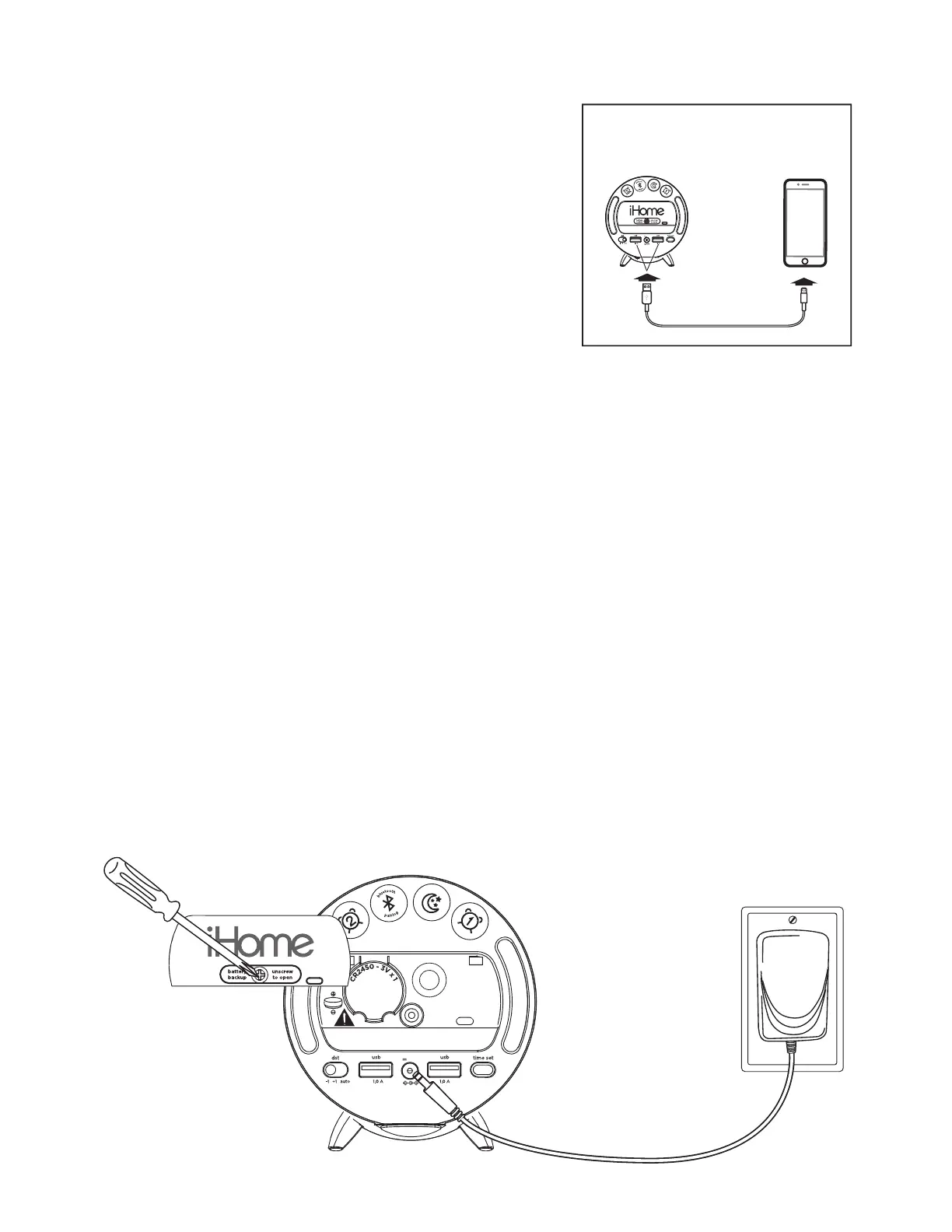
• Connect a USB cable (not included) to one of
the two USB ports located on the back of the
unit to charge devices.
• Monitor the charging on your device. Some
devices use a proprietary charging method and
will not charge using the USB port. If this
happens, you must charge your device using
the charger that came with it.
Unit must be plugged into a
working outlet to charge devices.
BATTERY BACK-UP
DC 5V
2.4A
DC 5V
2.4A
RESET
RESET
TEST
TEST
1
. Make sure the AC adapter is connected, or you will lose your
clock settings during battery replacement.
2.
Use a Phillips screwdriver to unscrew the battery compartment door.
3. Remove the exhausted battery and insert a new CR2450 battery.
4. Replace the compartment door. Do not overtighten the screw
.


 To Next Page