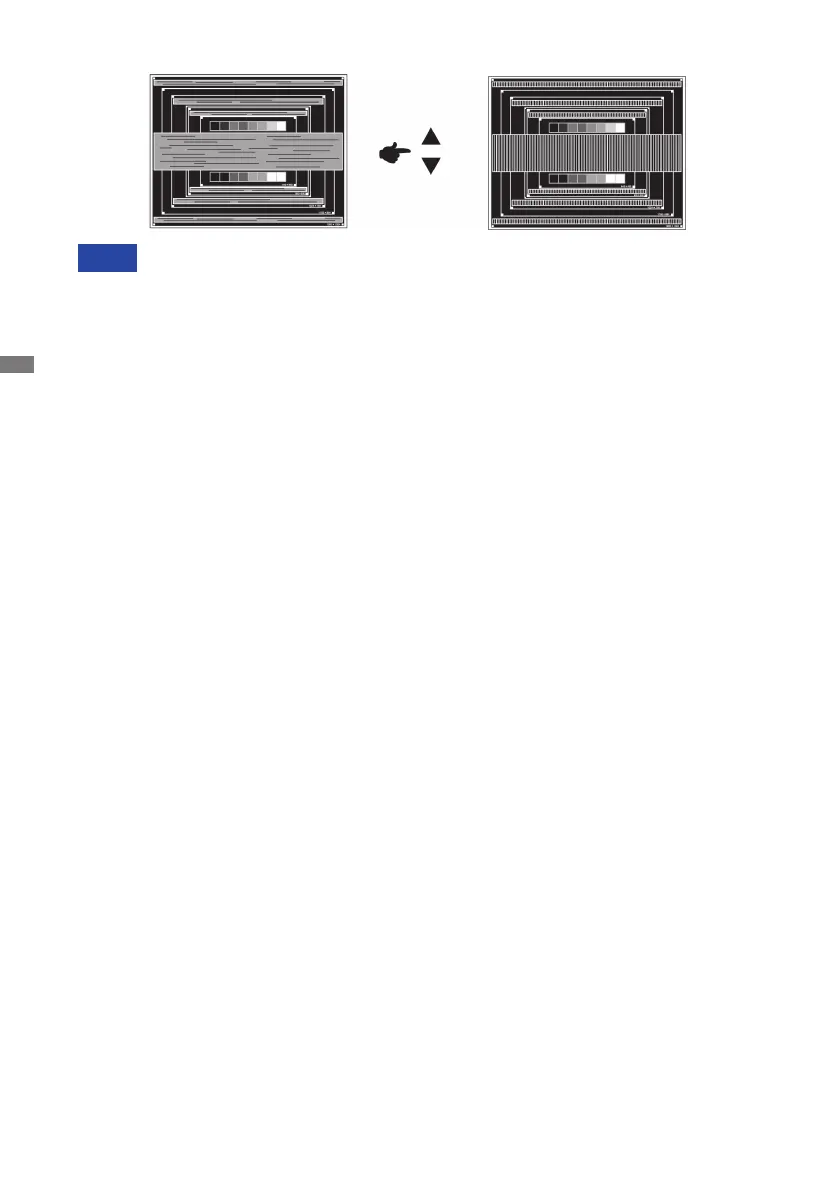
NOTE Incasethestrongickerorblursremainonapartofthescreen,repeatsteps and
becausetheH.Sizemaynotbeadjustedcorrectly.Iftheickerorblursstillremain,
set the refresh rate of computer to low (60Hz) and repeat steps from again.
Adjust the H.Position after the Fine Tune adjustment if the horizontal position moves
during the adjustment.
Adjust the Brightness and Color Adjust to get the desired picture after you complete the
H.Size and Fine Tune adjustments.
Put back your favorite wallpaper.
AdjusttheFineTunetocorrecthorizontalwavynoise,ickerorblurinthezebrapattern.
NOTE
16 OPERATING THE MONITOR






 To Next Page