English
24
OFF
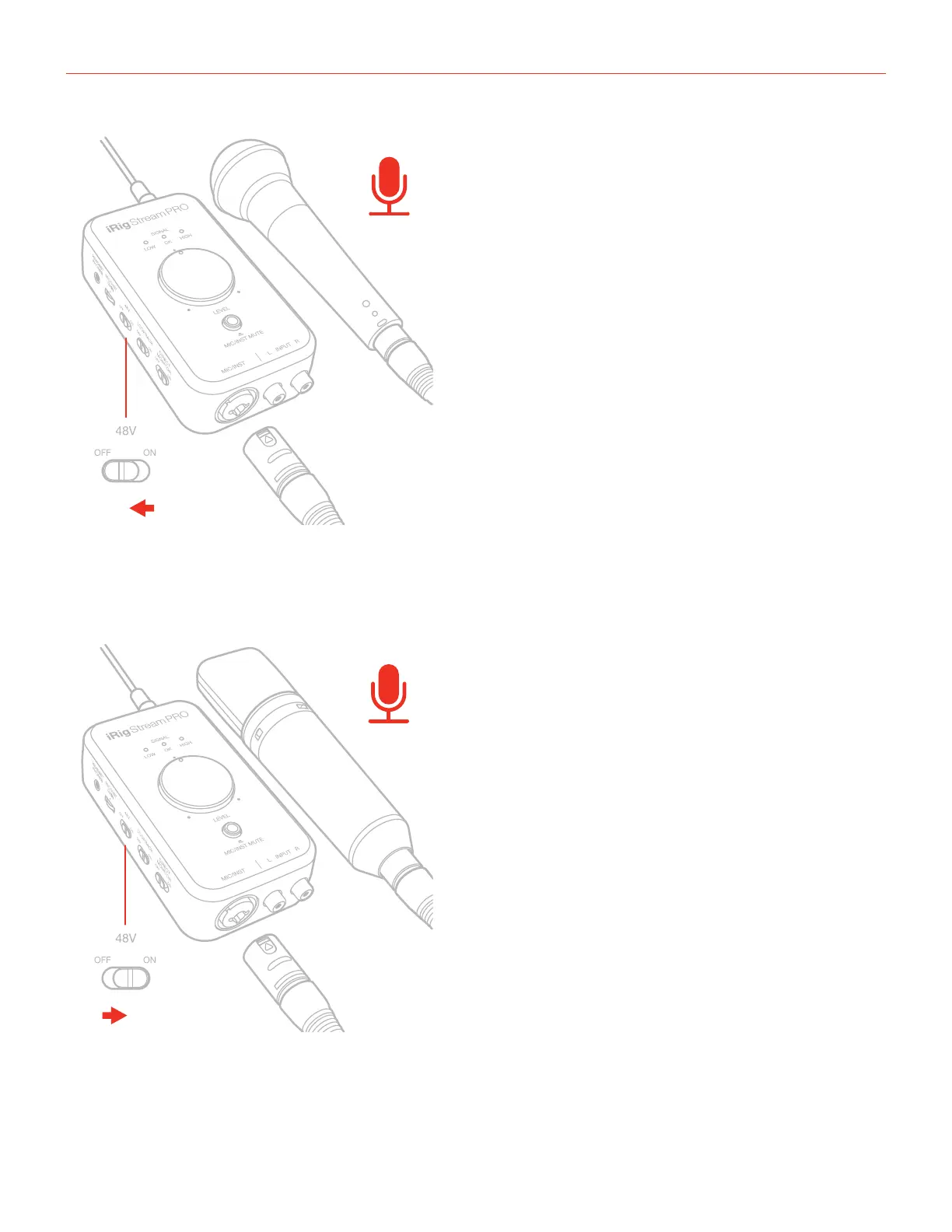
If you’re using a condenser microphone, it will probably require external phantom power. If phantom power
is ON, switch it OFF, and then connect your microphone. Turn phantom power ON only after the microphone
is connected. If the “Mic/Inst Mute” LED flashes orange, check that working batteries are inserted in the iRig
Stream Pro battery compartment on the bottom side, and that an application that is using iRig Stream Pro is
open.
ON
Before connecting a ribbon microphone, turn OFF phantom power and check the microphone’s operating
instruction manual to see if it requires it. Most ribbon microphones don’t require phantom power, and some can
even be damaged by it. If you’re in doubt just leave it OFF. If the microphone won’t work, check its user manual,
it may need phantom power.




 To Next Page