English
5
Installation and setup
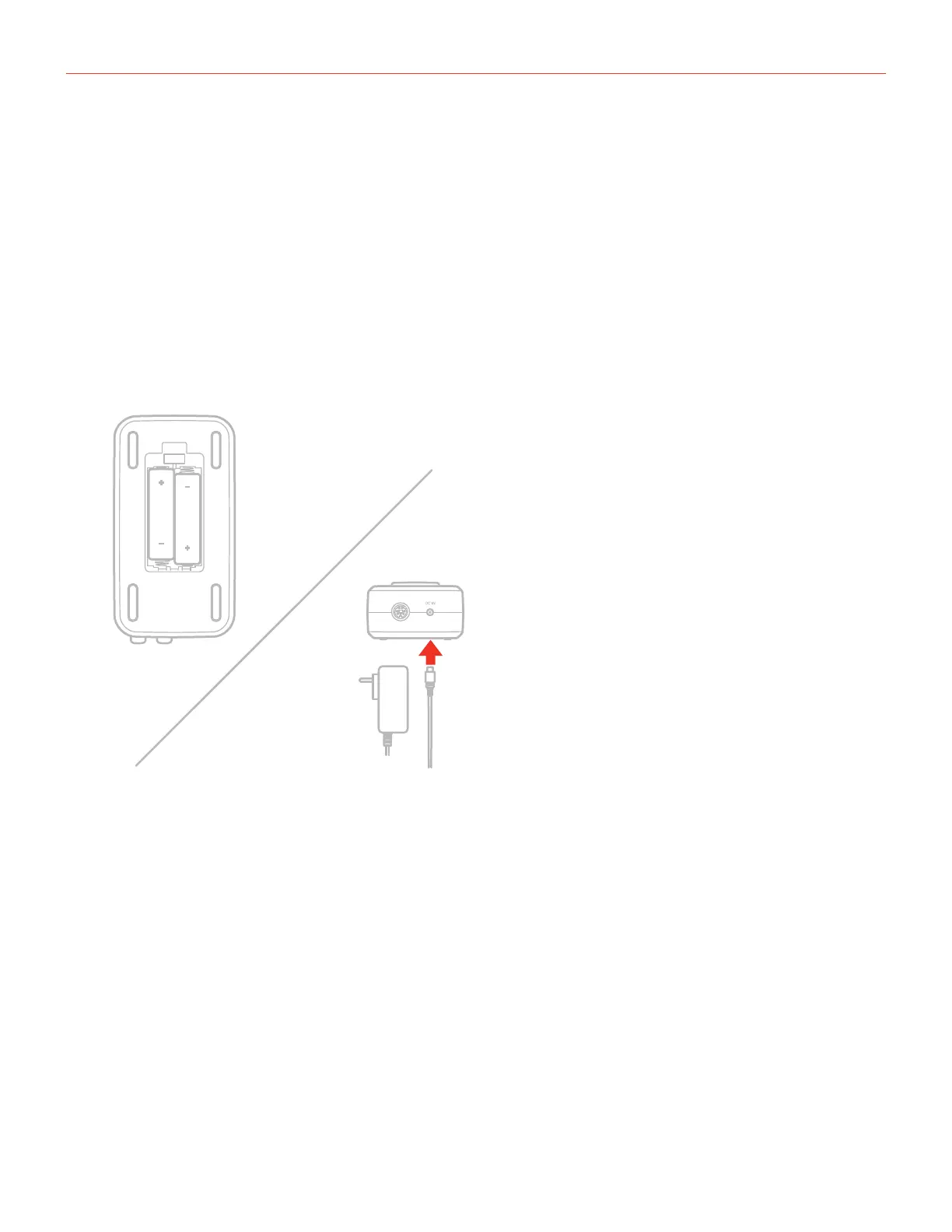
For iOS users: when working with iOS devices and +48V phantom power is required, iRig Stream Pro needs
to be powered with two AA batteries. See specifications about battery life. Insert the included AA batteries in
the battery compartment on the bottom side of iRig Stream Pro. If you want to stream for a long time, you can
connect the DC In port on iRig Stream Pro to the optional PSU (iRig PSU 3A). In this case the iRig Stream Pro
will also charge the connected lightning iOS device.
For MAC/PC and Android users: when connected to an USB class compliant host, iRig Stream Pro will be
USB powered, ONLY if the host device is capable of providing enough current. When connected to Android
devices and phantom power is required, we recommend that you use the optional PSU to avoid running out of
battery life.
DC IN







 To Next Page