22 IKE 4 User Manual
Basic Fields
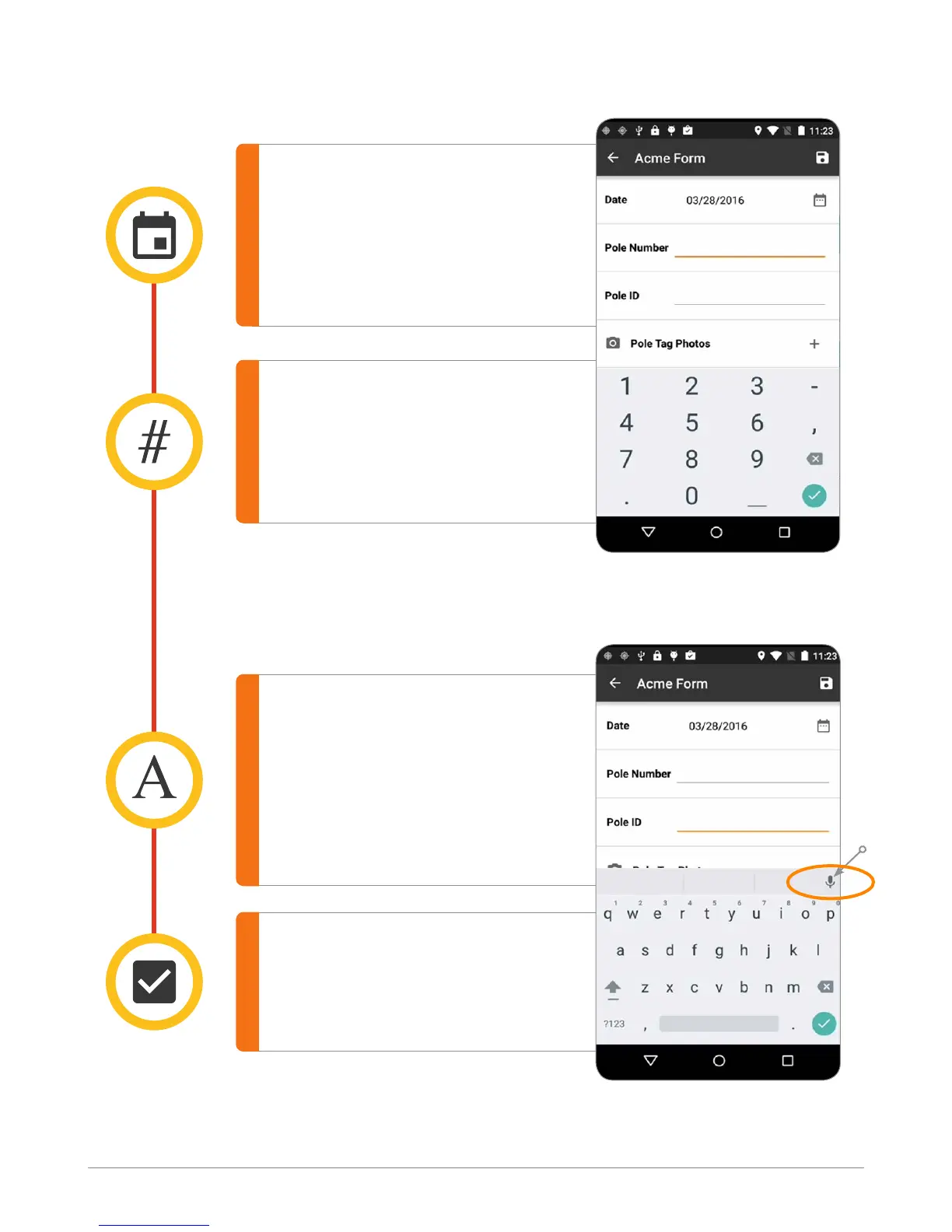
Date
Input Date into the form.
Date format (MM/DD/YYYY)
can be congured in the
Settings page.
Yes / No
Offers the option to respond
“yes” or “no” within a eld.
Number
Allows a numeric eld to be
populated in the eld using
the keypad.
Text
Allows alphanumeric collection
in IKE Ofce. This can be
populated using the keypad or
using the microphone recording
on the IKE device.
Voice to Text
IKE Field screen
IKE Field screen



 To Next Page