EasyManua.ls Logo

Ikelite 6801.70 - User Manual

Ikelite 6801.70
28 pages
Print Icon
To Next Page IconTo Next Page
Loading...
Port Lock
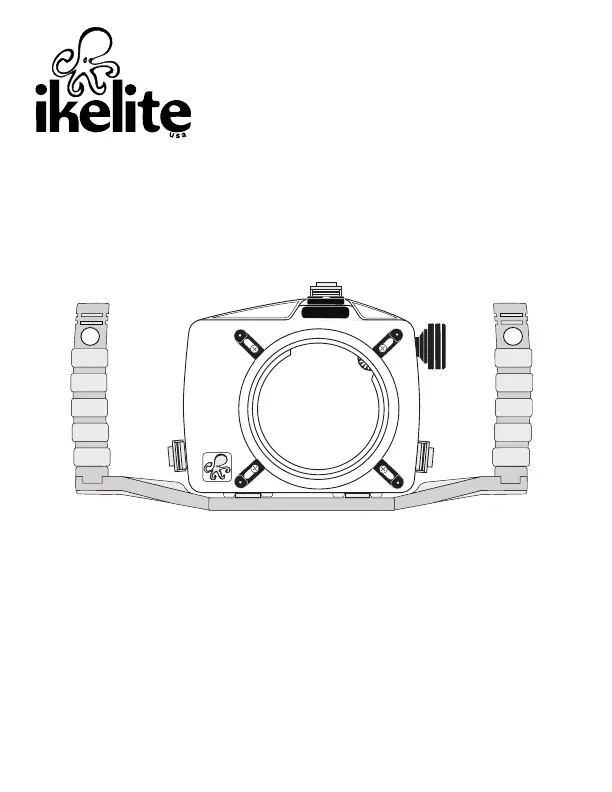
IKELITE
SLR-DC Housing
i n s t r u c t i o n m a n u a l
#6801.70 for the Nikon D7000
Width ................10 in. (250mm) including controls
..........................13.7 in. (348mm) with Tray and Handles
Height ..............7.0 in. (178mm) including controls
..........................7.3 in. (185mm) with Tray and Handles
Depth ................6.5 in. (165mm) including controls
Weight ..............5.5 lb (2495g) housing only
..........................7.8 lb (3538g) housing with tray & handles
Buoyancy ..........Neutral to slightly negative in fresh water (dependent on
..........................choice of lens and lens port)
Size and Weight

Questions and Answers

  • S
    srodriguezAug 9, 2025
    What to do if my Ikelite Camera Accessories image is over or underexposed?
    • D
      Dennis SmithAug 9, 2025
      If your Ikelite camera accessories are producing over- or underexposed images, verify that the strobe(s) are firing correctly when you take a picture. If you are using an external strobe, ensure it is powered on, configured correctly, and the battery is adequately charged. Inspect all corded connection points. You may also need to adjust the camera's shutter speed, aperture, or exposure compensation. Finally, consider moving closer to or further away from your subject.
  • K
    Krista Byrd MDAug 14, 2025
    How to prevent water from entering my Ikelite Camera Accessories housing?
    • D
      Dennis MillerAug 14, 2025
      To prevent water from entering the housing of your Ikelite camera accessories, remove, thoroughly clean, and properly lubricate the main housing and port o-rings. Carefully inspect the o-ring seal for any obstructions such as hairs, dirt, or foreign debris. As a precaution, reassemble the housing without the camera installed and conduct a pressure test or take it diving to ensure its integrity.
  • A
    ariana48Aug 19, 2025
    Why is my Ikelite Camera Accessories lens port fogging up?
    • X
      xbarberAug 19, 2025
      Fogging on the lens port of your Ikelite camera accessories typically occurs because humid air is trapped inside the housing. The camera produces heat, which can condense any trapped moisture, leading to fogging. To mitigate this, close the housing in an air-conditioned environment. Avoid leaving the housing in direct sunlight for extended periods. Consider using desiccant packs inside the housing to absorb moisture. Also, clean the main housing o-ring, port o-ring, and sealing surfaces of the housing. If you notice water droplets or moisture around the controls or sealing areas, return the housing to Ikelite for evaluation.
  • S
    susanjordanAug 25, 2025
    What to do if my Ikelite Camera Accessories camera does not take a picture?
    • M
      Michelle BrownAug 25, 2025
      If your camera isn't taking pictures while using Ikelite camera accessories, first ensure you have installed a fully charged battery. It's possible a housing control is inadvertently engaging a camera function, preventing the shutter from firing. Also, check if there's sufficient light for the camera to focus properly; if not, consider adding a focusing light or a strobe with a built-in focusing light. Select a center focus point in your camera menu. Finally, ensure the camera is correctly mounted on the camera tray and that the housing controls are not obstructing any functions.
  • M
    Miranda AllenAug 28, 2025
    How to fix sticky push buttons on Ikelite Camera Accessories?
    • R
      robinsonjasmineAug 29, 2025
      If the push buttons or controls on your Ikelite camera accessories are sticky, remove the camera and rinse the closed housing in fresh water, then vigorously press each push button in and out several times. You can also try applying a small amount of lube to the base of the push button shaft and operate the button several times to distribute it. If a control is sticky, grab the control knob, pull it out, and then push it back in. If the issue persists, return the housing to Ikelite for routine maintenance.
  • C
    Cristian MartinezSep 2, 2025
    Why are my Ikelite Camera Accessories pictures too blue or too green?
    • C
      Cassie HernandezSep 2, 2025
      If your pictures taken with Ikelite camera accessories appear too blue or too green, try using custom (manual) white balance if your camera has that feature. Adding an external strobe can also help. Another solution is to move closer to your subject when taking the picture.

Ikelite 6801.70 Specifications

General IconGeneral
BrandIkelite
Model6801.70
CategoryCamera Accessories
LanguageEnglish

Related product manuals