EasyManua.ls Logo

Ikelite 6182.78 - User Manual

Ikelite 6182.78
28 pages
Print Icon
To Next Page IconTo Next Page
Loading...
Thank you for your purchase of Ikelite equipment. Please read this
instruction manual completely before attempting to operate or dive
with this product. Please refer to the back page of this manual to
register your Ikelite product.
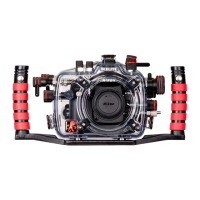
6 182 .78
Underwater TTL Housing for
Nikon P7800
Instruction Manual

Questions and Answers

  • J
    Justin GregoryJul 27, 2025
    What to do if my Ikelite 6182.78 image is over/underexposed?
    • T
      Timothy EatonJul 27, 2025
      If your Ikelite Camera Accessories image is over or underexposed, ensure the camera flash or strobe is firing when taking a picture and that the camera flash is forced “on”. Also, when using an external strobe, verify that it is turned on, set properly, and its battery is charged. Check any corded connection points. You may also need to change the camera shutter speed or aperture, move closer to or further away from the subject, or adjust flash exposure compensation. For extreme overexposure, turn on the ND neutral density filter if available. Make sure the deflector is installed when you are using a non-wired external strobe with a slave. Make sure the diffuser is installed when you are NOT using an external strobe.
  • S
    susan75Aug 3, 2025
    What to do if water enters my Ikelite Camera Accessories housing?
    • J
      James WilliamsAug 3, 2025
      If water enters your Ikelite Camera Accessories housing, take these steps: * Remove, clean, and properly lubricate the main housing o-ring. * Inspect the o-ring seal for hair, dirt, or any foreign debris. * Reassemble the housing without the camera and submerge it in water to check for leaks. If the issue persists, return the housing to Ikelite for evaluation.
  • J
    Jaime GonzalesAug 11, 2025
    How to fix sticky push buttons on Ikelite 6182.78 Camera Accessories?
    • M
      medinapatriciaAug 11, 2025
      To address sticky push buttons on your Ikelite Camera Accessories, first remove the camera and rinse the closed housing in freshwater, then vigorously press each push button in and out several times to dislodge any trapped saltwater or debris. If the push button remains sticky, press it all the way in and apply a small amount of lube to the small end of the push button shaft at its base, then release and operate the push button several times to distribute the lube. If a control is sticky, grab the control knob, pull it out, and then push back in. If it's still sticky, return the housing to Ikelite for routine maintenance.
  • R
    rivasjustinAug 18, 2025
    Why are my Ikelite 6182.78 pictures too blue or too green?
    • G
      goodwinsharonAug 18, 2025
      If your Ikelite Camera Accessories pictures are appearing too blue or too green, you can try the following: * Use custom (manual) white balance, resetting it for each working depth or when attaching a color correcting filter. * Consider adding an optional color correcting filter. * Incorporate an external strobe. * Move closer to your subject when taking a picture.

Summary

Ikelite 6182.78 Underwater Housing for Nikon P7800

Attaching Tray and Handle to Housing

Preparation and Camera Setup

Initial Camera Setup

Configuring the Nikon P7800 camera settings before installing it into the housing.

Housing Controls - Front View

Housing Controls - Back View

Housing Opening and Camera Installation

Opening the Housing

Procedure for safely unlocking and opening the underwater housing.

Installing the Camera

Guide for correctly mounting the camera and accessories inside the housing.

Camera Flash Usage and Housing Closure

Using the Cameras Built-in Flash

Considerations for using the built-in flash with the housing and lens port.

Closing the Housing Securely

Steps to ensure a watertight seal when closing the housing back.

Usage and Controls Check

Final Check Procedure

Verifying housing seal integrity and components are correctly positioned before use.

Zoom Control Operation

Proper engagement and disengagement of the housing's zoom control lever.

Diffuser and Deflector Installation

Diffuser Use

How to install and use the diffuser with the camera's flash.

Deflector Use

How to install and use the deflector for external strobe triggering.

Ikelite Conversion Circuitry and Strobe Arm

Conversion Circuitry Explained

Understanding the TTL conversion circuitry for Ikelite DS strobes.

Attaching Strobe Arm to Handle

Guide for securely attaching an Ikelite strobe arm to the housing handle.

Sync Cord Connection and Camera Power-On

Attaching a Sync Cord

Procedure for connecting the Ikelite 5-pin TTL sync cord to the housing.

Turning Camera On

Basic steps to power on the camera and check housing controls.

Entering Water and Basic Maintenance

Entering the Water

Final checks before entering the water with the housing.

Lens Port and Lubricant Care

Instructions for cleaning the lens port and applying lubricant.

Housing Maintenance

Control Maintenance

Photo Tips

Troubleshooting

Spare Parts and Accessories

Spare Parts

List of available replacement parts for the housing.

Recommended Accessories

Suggestions for compatible accessories to enhance photography.

Customer Support and Warranty

Customer Support

Contact information and resources for customer assistance.

Limited Warranty

Details of the product's manufacturing defect warranty.

Returning Products for Service

Product Registration

Ikelite 6182.78 Specifications

General IconGeneral
BrandIkelite
Model6182.78
CategoryCamera Accessories
LanguageEnglish

Related product manuals