8
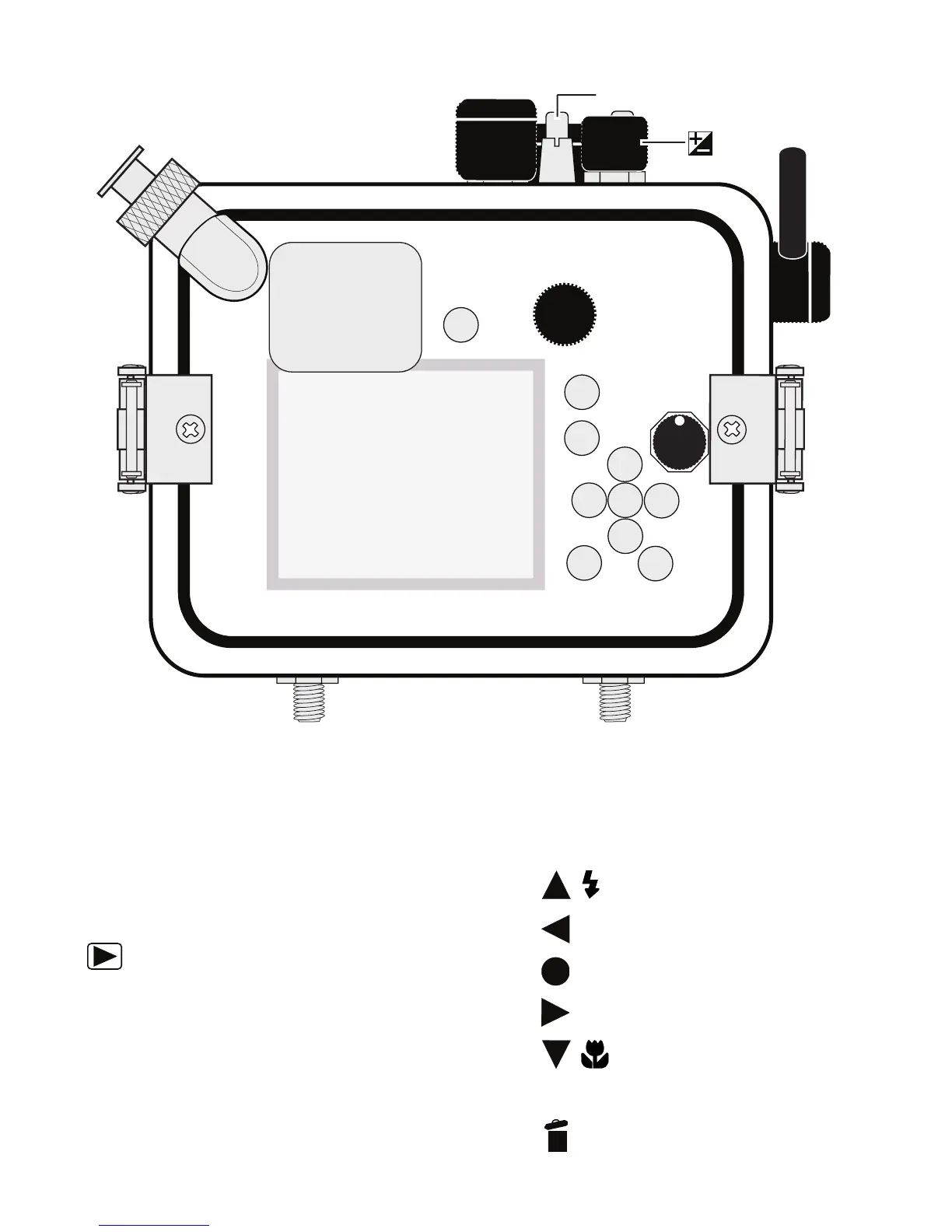
Housing Controls
1. External Strobe Connector / Cap
2. Quick Menu Button
3. Main Command Dial
4. (AE-L/AF-L) Button
5. Playback Button
6. Rotary multi-selector (Note that a
small section of the rubber disc
is missing at the end of this control.
This is normal and allows the user
to completely disengage the control
from the camera when not in use).
Housing Controls - Back View
Rotate the Rotary multi-selector to
the 12 o’clock position to disengage
control from camera dial.
7. Up / Flash Mode
8. Self-timer
9. “OK” Apply Selection Button
10. Right / AF Area Mode,
11. Down / Focus / Macro
12. MENU Button
13. Delete Button
Dial
Power Switch/Power-on Lamp


 To Next Page