Visual Quickstart Guide
(continued)
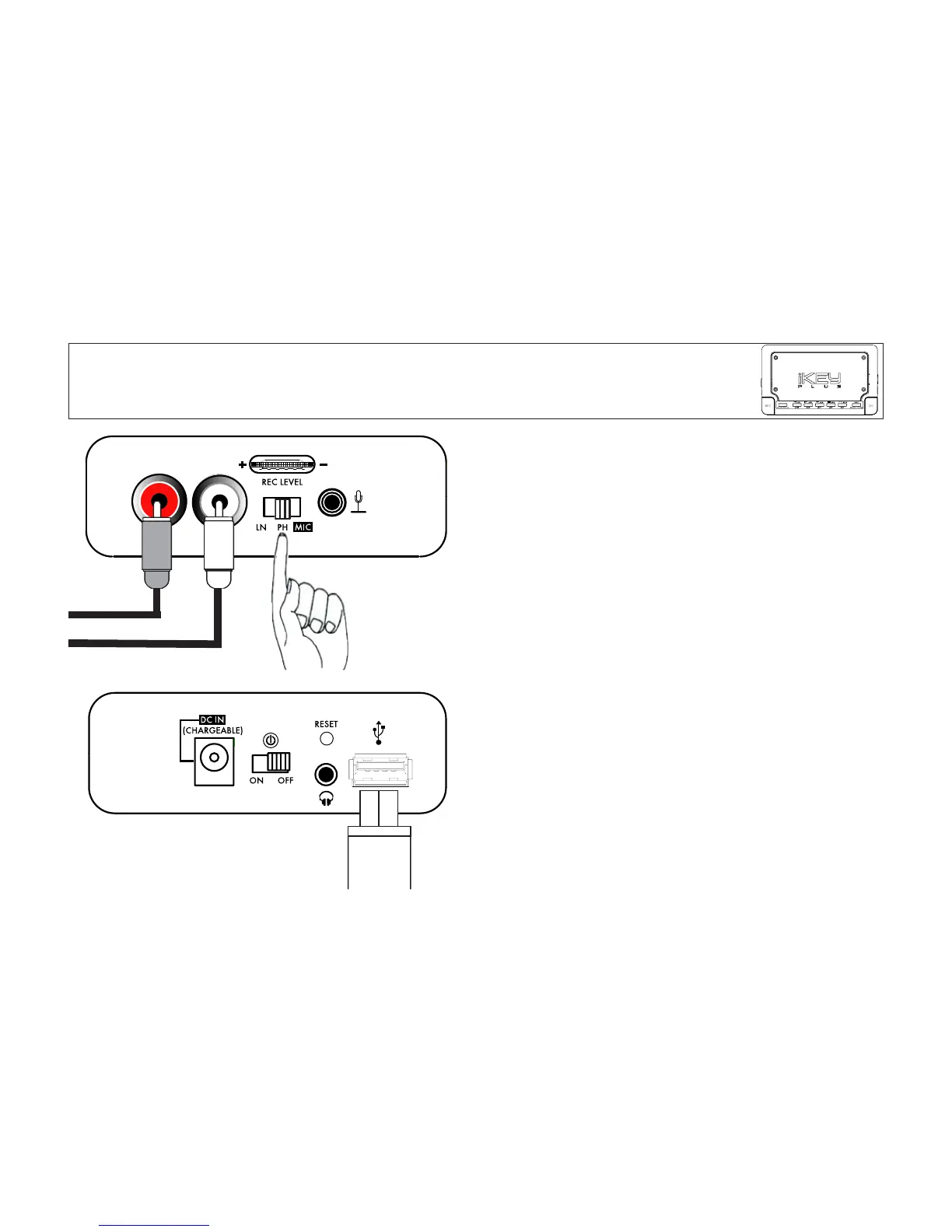
STEP 3: SET THE SWITCH!
If you are recording from a LINE LEVEL device, switch the posi-
tion to LN (to the far left). If recording from a PHONOGRAPH
TURNTABLE, switch the position to PH (middle position).
Finally, if you are using a MICROPHONE, switch the position to
MIC.
STEP 4: CONNECT USB DEVICE
Connect the USB device that you wish to record to. Common
USB devices that can be used include FAT-32 and HFS+ based
USB Flash Memory, hard drives, and most MP3 players. If you
plan on using an iPod, please first consult the additional notes
found in APPENDIX A: iPod Usage. For a list of known incom-
patabilities, see APPENDIX B.


 To Next Page