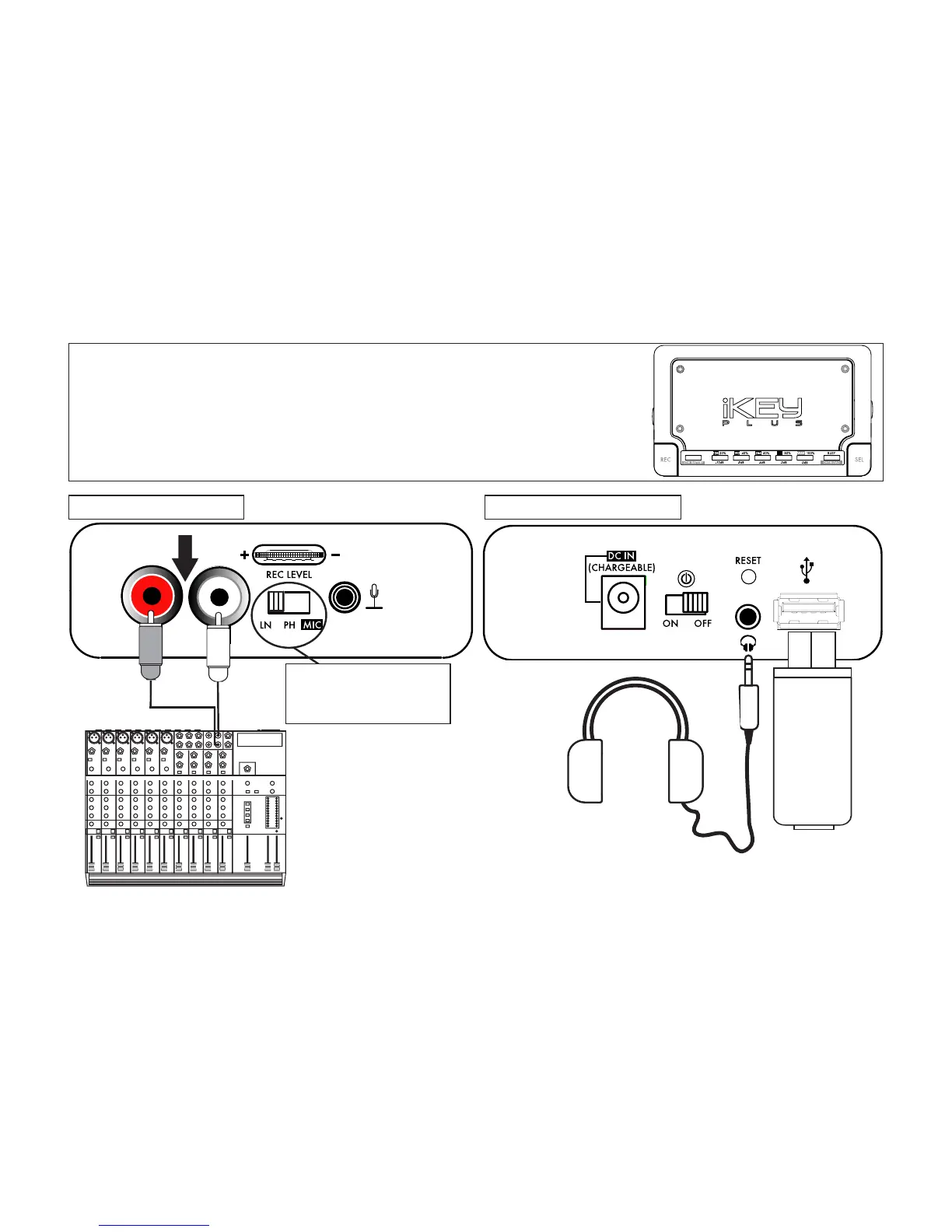
Connecting a mixer*
to the iKEYplus
left side: audio input right side: audio output
RCA jacks
USB device
Headphones
(optional for monitoring dur-
ing recording process)
NOTE: BE SURE THE ACCOMPA-
NYING SWITCH IS IN THE LN
POSITION!
Mixing Console
(Connect to Line output or
Record/Tape output)
*recording from a mixer may require alternate
cables/adapters (not included), depending on brand
7


 To Next Page