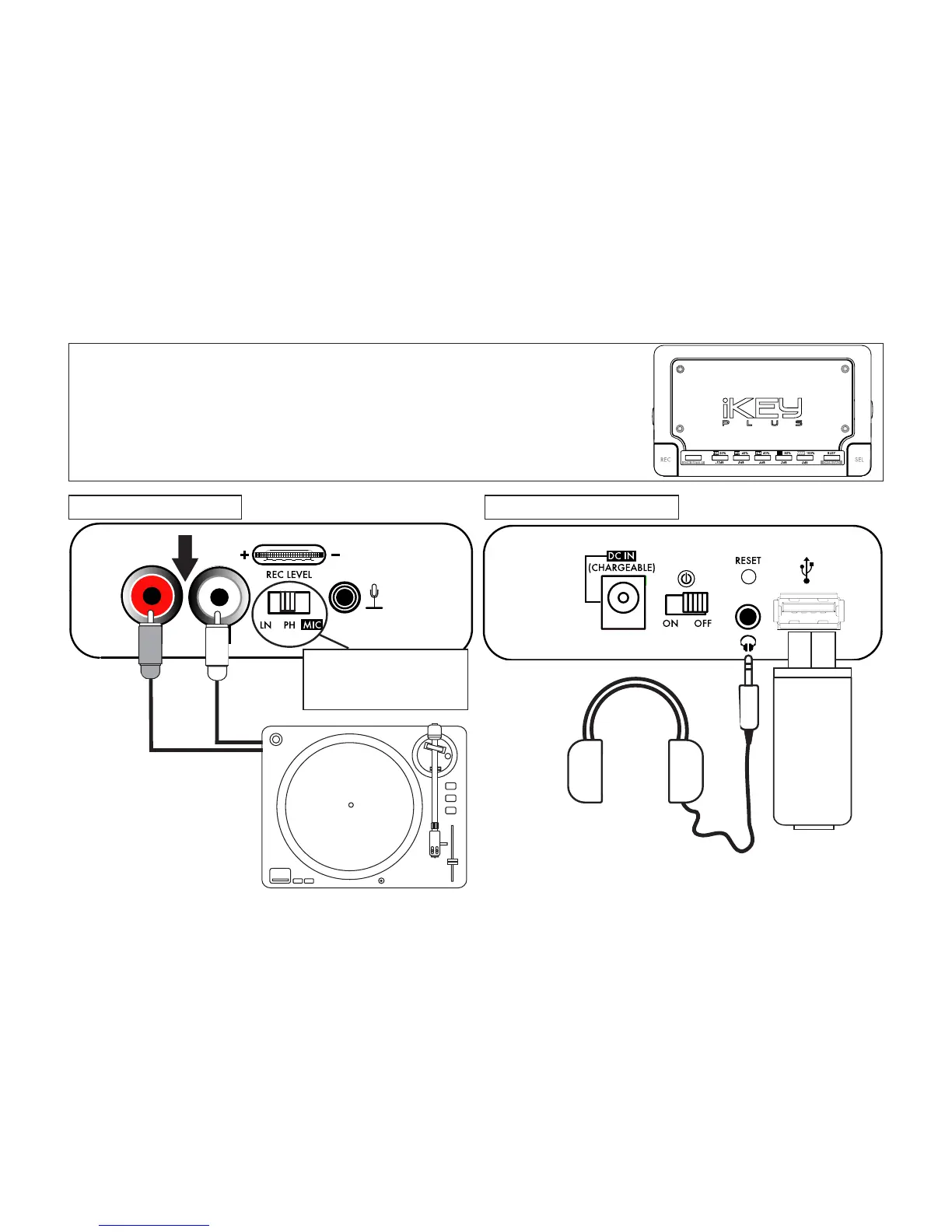
Connecting a phonograph
turntable to the iKEYplus*
left side: audio input right side: audio output
RCA jacks
USB device
Headphones
(optional for monitoring dur-
ing recording process)
NOTE: BE SURE THE ACCOMPA-
NYING SWITCH IS IN THE
PH
POSITION
!
6
Phonograph Turntable
(Standard type, magnetic car-
tridge, not pre-amplified)
* See Appendix C for detailed instructions


 To Next Page