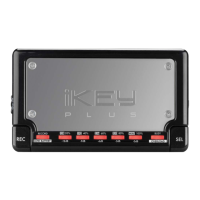
iKEYplus PORTABLE USB RECORDER
INTRODUCTION:
Congratulations on purchasing an iKEYplus P
ORTABLE USB RECORDER
. This next
generation recording device features the latest advancements in engineering and is
backed by a One year limited warranty*. Prior to use, we suggest that you carefully
read all instructions.
FEATURES:
- USB Port (For direct connectivity to supported USB Storage Device)
- Compatible with USB 2.0/1.1/1.0 devices
- Compatible with iPod®
- Records audio to Uncompressed WAV format or MP3 format (w/ selectable bit rate,
up to 320kbps)
- Gold plated RCA inputs
- Microphone input with Phantom power
- Built-in Phono preamp for direct connection of Turntables
- LED Indicator shows memory remaining on target drive
- Battery powered w/ low battery indicator
- DC charger input with DC adapter included for use with rechargeable batteries
- 6-bar VU meter with peak hold and Overload indicator
- 1/8" (3.5mm) Headphone monitor output
- Record volume control
- Reset button
- Requires 4 AA Rechargeable Batteries (Not Included)
TABLE OF CONTENTS:
Warnings and WEEE Page.............................................................................................2
Introduction, Features.................................................................................................3
Parts List and Included Accessories.............................................................................4
Visual Connection Diagrams........................................................................................5
Connecting the included Stereo T-Mic.....................................................................5
Connecting a phonograph turntable........................................................................6
Connecting an audio mixer.......................................................................................7
Connecting a guitar amplifier....................................................................................8
Connecting a handheld microphone........................................................................9
Visual Quick Start Guide............................................................................................10
Playing back and/or editing your recordings on a home computer...........................18
LOW BATTERY, DEVICE FULL, and BUSY LED indicators.........................................20
APPENDIX A: Detailed instructions for use with an Apple iPod................................21
Transferring your recordings from the iPod to PC for editing.................................22
Transferring your recordings from the iPod to Mac for editing..............................23
APPENDIX B: Troubleshooting guide........................................................................25
APPENDIX C: Detailed instructions for connecting a phonograph turntable...........27
APPENDIX D: Specifications......................................................................................28
3


 To Next Page