STEP 12: EJECTING THE USB DEVICE
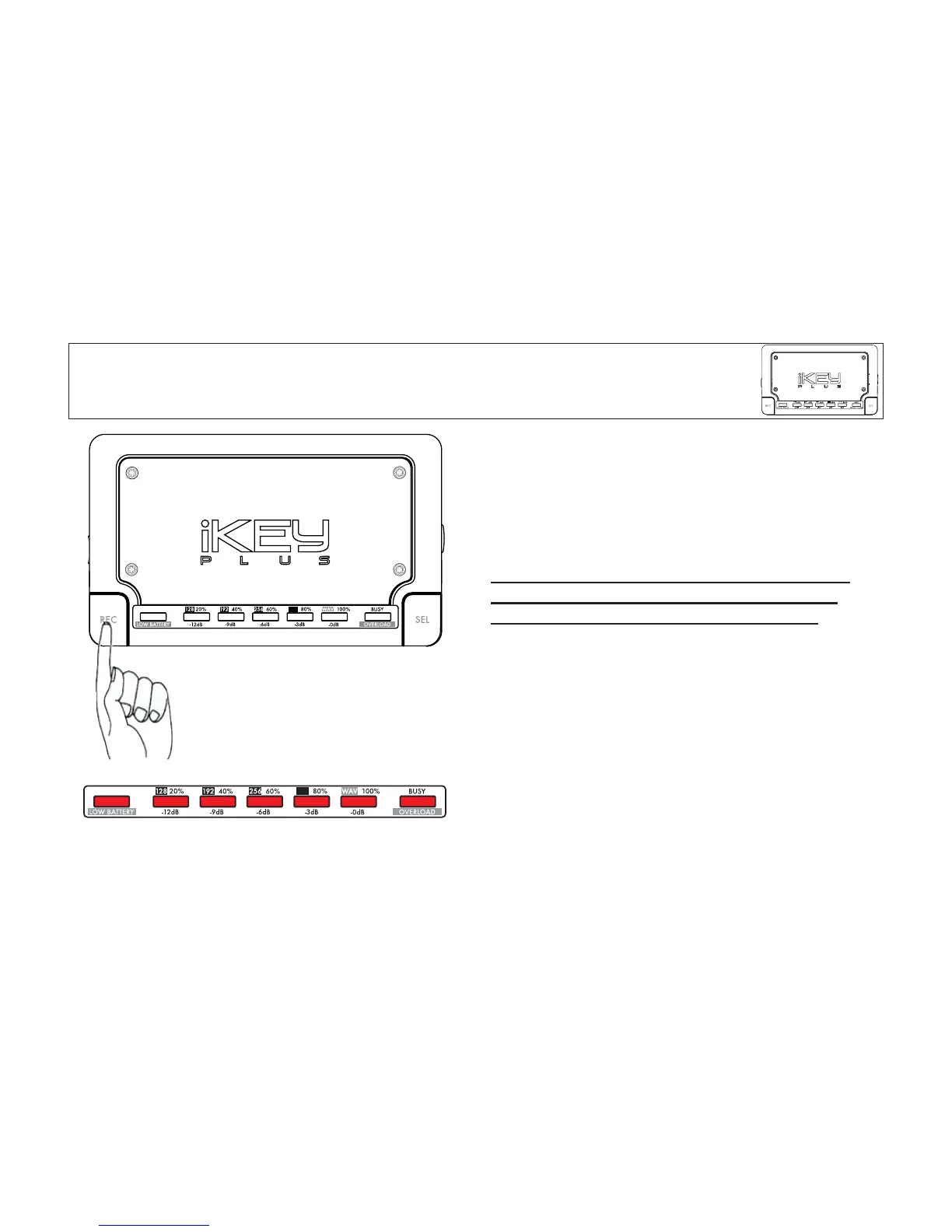
You must hold down the REC button for 3 seconds before
disconnecting the USB device. The LED lights will flash 3
times in a row, showing that it is now safe to remove the
device.
F
AIL
URE TO USE THIS EJECT PROCEDURE CAN CAUSE
PROBLEMS RANGING FROM DATA CORRUPTION, TO
THE COMPLETE ERASURE OF YOUR RECORDING.
This procedure is not unique to the iKEYplus, in fact, you
must follow an ejection procedure when removing USB
devices from your computer.
Once you have completed the eject procedure, you may now
connect your USB storage device to a PC for playback and
editing. If you are using an iPod, please first consult the
additional notes found in APPENDIX A: iPod Usage.
Figure E - All LEDs flash briefly, 3 times in a row to show
that it is now safe to remove the USB device.


 To Next Page