CARE AND MAINTENANCE OF DISC
WARNING! THIS PRODUCT USES A CLASS 1 LASER. AVOID ANY DIRECT EXPOSURE
TO THE LASER BEAM. USE OF CONTROLS, ADJUSTMENTS OR PROCEDURES NOT
LISTED IN THIS GUIDE MAY RESULT IN HAZARDOUS EXPOSURE.
Handing Compact Discs
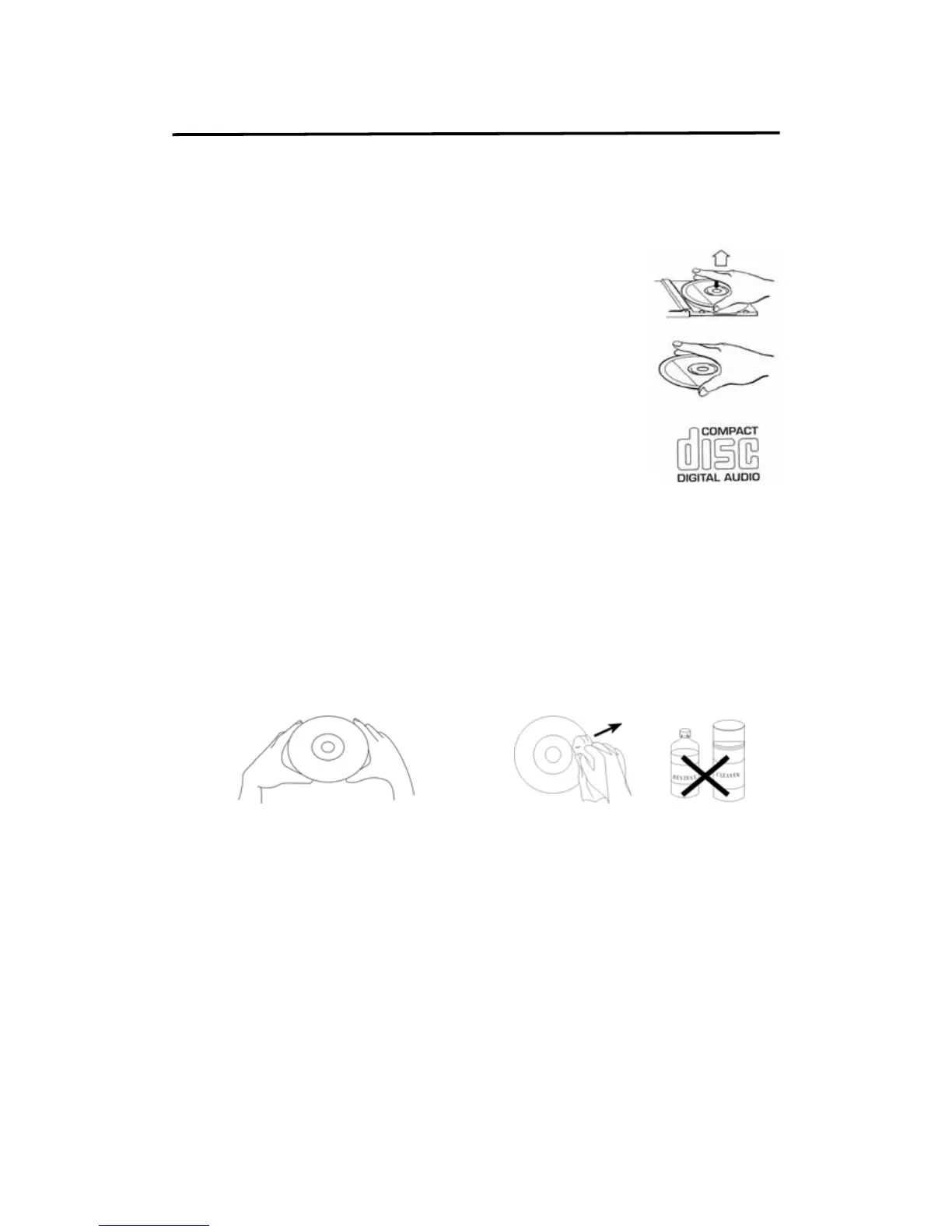
To remove a CD from its storage case, press down on the center
of case and lift the disc out.
Hold the disc by the edges. Avoid touching the recorded side of
the disc.
Compatible Compact Discs
Only compact MP3 format discs or music discs identified with marking
shown right can be used with your unit.
Information on the CD Disc and CD Compartment
1. Never insert other object into the CD compartment as this could
destroy the mechanism.
2. Never touch the lens in the CD compartment.
3. Dirty on the scanning lens may result in interruptions to playback or other errors.
4. If you want to remove dust particles from the CD compartment simple use a typical blower
brush (found in photographic supplies shops).
5. If the CD is very dirty. Use a soft cloth to remove fingerprints and dust from the disc
surface. Wipe in a straight line from the center to the outside of the disc.
6. Never use chemicals such as record sprays, anti-static sprays, benzene or thinners to
clean your CDs.
7. To reduce the risk of scratches, always put CDs back in their cases after use.
8. Do not expose CDs to direct sunlight, high humidity or high temperatures for long periods.
9. Do not stick paper or write on either side of the CD.


 To Previous Page