LISTENING TO A CD DISC ( Normal Playback )
INSERT AND PLAY A CD DISK
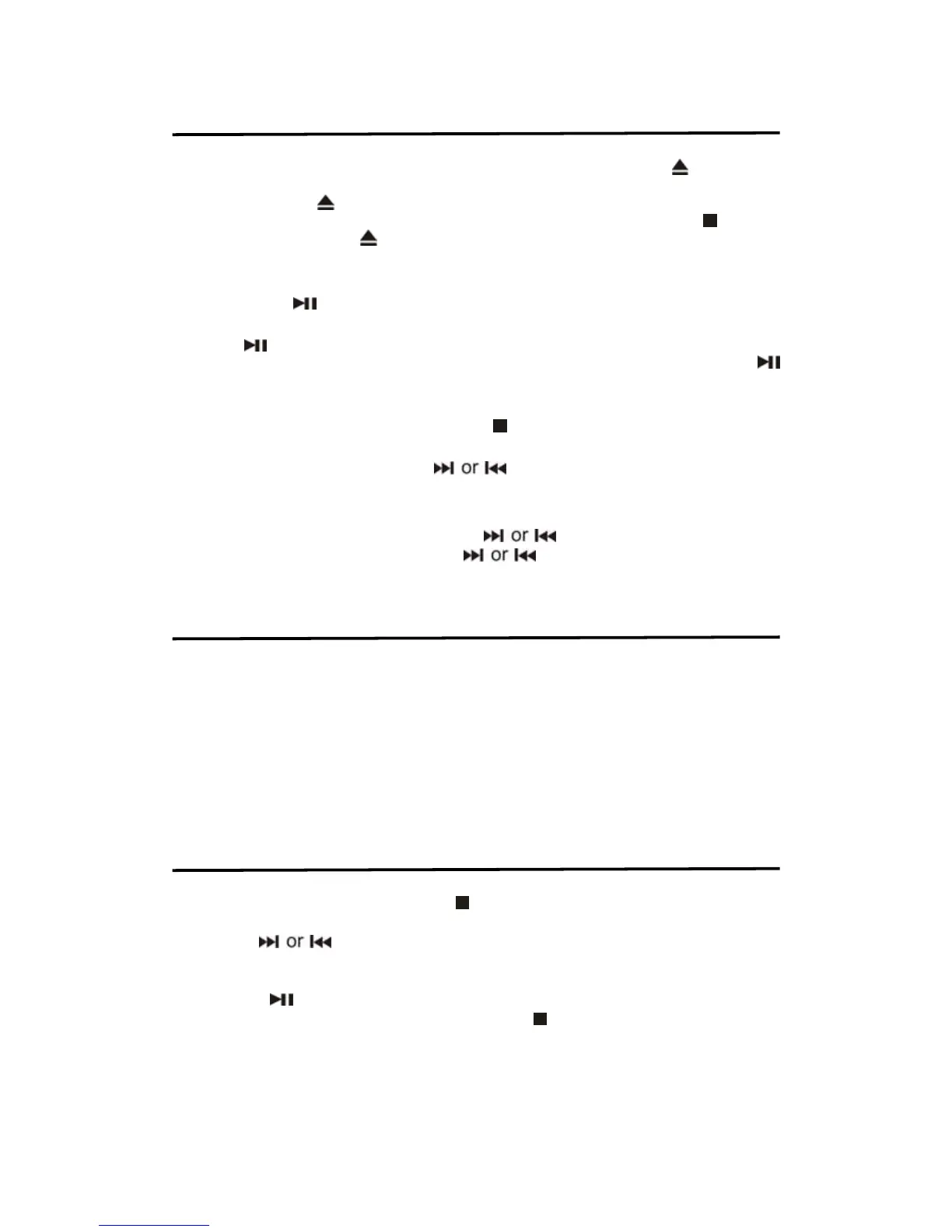
After power connect, press the SOURCE button to select CD mode. Press
button once
that the CD DOOR will auto eject. Carefully insert the disc into the disc compartment (graphic
back side) and Press
button again that the CD DOOR will auto close. A few second, the
total tracks / music files number show on display and automatic playing .Press the
button to
stop disc playing first. Press
button once that the CD DOOR will auto eject.
CD DISC NORMAL PLAYBACK
After loading the CD DISC, the total number of the tracks / files of the disc will be shown on the
display. Press the
button once, the unit will play the CD DISC from the first track.
PLAY/ PAUSE CONTROL
Press the
button to pause temporarily during the playback CD DISC. The Disc will
pause and the elapsed tracking time number will show and blink on the display. Press the
button again to resume playback.
STOP CONTROL
To stop the DISC/USB/DISK playback, press the
button once The DISC will stop playback.
SKIP TRACKS
During playback CD DISC, press the
buttons to skip to the next or previous
tracks.
HIGH-SPEED MUSIC SEARCH
During playback CD DISC, press and hold the
buttons to skip/ search through a
track at high speed. When you release the
buttons, normal speed playback will
resume at that point.
LISTENING TO A CD DISC
( Using Repeat / Random )
REPEAT THE CURRENT TRACK :
In CD DISC playback mode, press the REPEAT
button until “REP 1” show on the display and the selected track will be repeated continuously.
REPEAT ALL TRACK :
During playback CD DISC, press the REPET button until “REP
ALL” shown on the display and all tracks on the disc will be repeated continuously.
RANDOM PLAYBCK:
During playback CD DISC, press the RAND button until “REP ALL”
shown on the display and all tracks on the disc will be playback randomly.
RETURN TO NORMAL PLAYBACK :
During playback CD DISC, press the PLAY MODE
button until “REP 1 , REP ALL ” disappear. The CD DISC returned to normal playing.
LISTENING TO A CD DISC ( Using Program )
This unit can be programmed to play any sequence of up to many tracks in CD DISC.
1. After loaded compact CD DISC, press
button to stop mode.
2. Press PROG button once while unit is in stop mode. “P01” shown on the display.
3. Use the
button to select the desired track to be programmed.
4. Press PROG button again to save the selected track.
5. Repeat steps 3-6 to program up to 20 tracks for CDs / 99 tracks for MP3 files.
6. Press the
button to play the programmed track when programming is completed.
7. Clear Program (Resume Normal Playback) Press
button twice in the program mode,
or change to another mode to clear the programmed tracks.
CHECK THE CLOCK TIME IN CD MODE
In CD mode, press DISPLAY button that the display show the clock time now. After 5 seconds
the display will return to previous CD mode automatically.


 To Next Page