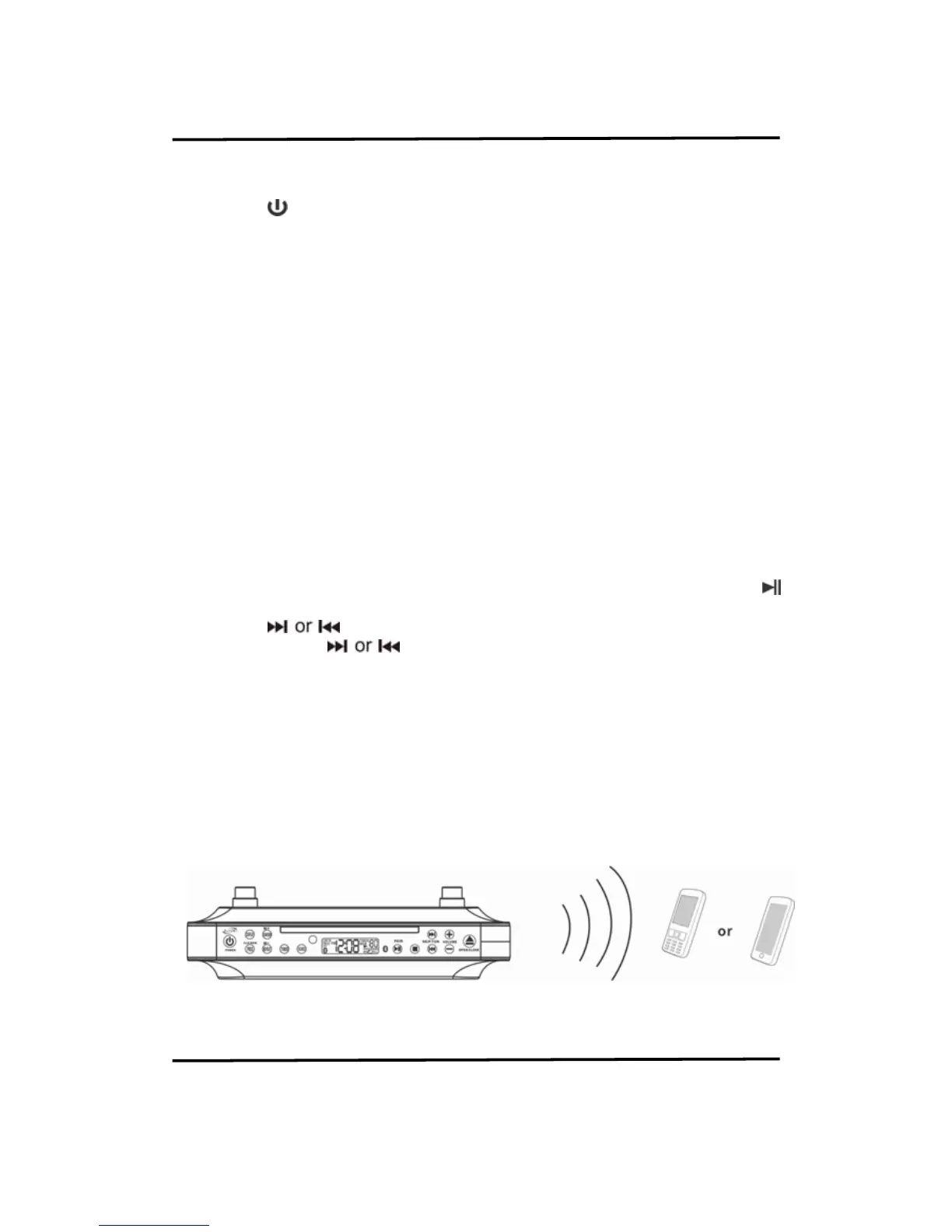
LISTENING TO A BLUETOOTH DEVICE
FIRST PAIRING WITH A BLUETOOTH ENABLED DEVICE
If the unit has never been paired with a Bluetooth device before, you need to follow the pairing
instructions below to link the unit with your Bluetooth device.
1. Press the
button to turn on the unit.
2. Press the SOURCE button to select Bluetooth mode. The unit will search the paired device
with the Bluetooth icon flashing slowly on the LCD panel.
3. Waiting for four to five seconds or press and hold the PAIRING button the Bluetooth icon
will start flashing rapidly on the LCD. The unit will emit a short beep and will then go into
Pairing/Discoverable mode.
4. Turn on the Bluetooth function of your Bluetooth device and enable the search or scan
function to find nearby Bluetooth devices.
5. Select “IKBC384S” from the device list when it appears on your device screen.
6. After successfully pairing (linking) with a Bluetooth enabled device, the unit will emit a
short beep and the Bluetooth icon will light steadily.
NOTE: If you cannot pair the unit with your Bluetooth enabled device, try solving the
problem by turning the power to the unit on and off and then starting the pairing
process again.
AFTER FIRST PAIRING
If the unit has already been paired with a Bluetooth enabled device before, it will automatically
start searching for the last paired device. Once it is found, the Bluetooth icon will light steadily.
You can now start playing music from your Bluetooth enabled device wirelessly to the speaker.
1. Press the VOLUME buttons on the unit to adjust the volume level.
2. After selecting the music track from your mobile for you want to listen to, press the
button on the unit to play or pause the music track.
3. Press the
buttons to skip to the previous or next track.
4. Press and hold the
buttons for fast-reversing or fast-forwarding during
playback.
5. If you want to pair the unit with another Bluetooth device, press and hold the PAIRING
button for 4-5 seconds to disconnect the existing connection. The unit will emit two short
beeps and the Bluetooth icon will be flashing rapidly on the LCD. The unit will then go into
Pairing/ Discoverable mode again. Repeat the last two steps from the "First pairing"
NOTE: 1) Refer to the user manual of your mobile phone, tablet, or other Bluetooth
enabled device for further instructions on Bluetooth operation, as
Bluetooth operation may vary from model to model.
2) If your Bluetooth enabled device does not support A2DP profile, it will not
play music through the speaker, even if paired (linked).
3) This unit cannot support pairing with computer.
ANSWER THE INCOMING CALL
When your unit playing mobile music by Bluetooth and receiving an incoming call on your
mobile phone, the music will be stop and ring sound from your mobile phone. Just end the call
that the music will sound automatic.


 To Next Page