INSTALL / REPLACE BACKUP BATTERY
This unit equipped with a battery backup circuit that will maintain the time, wake-up alarm
settings, as well as radio station preset memory setting in the event of a temporary power
failure.
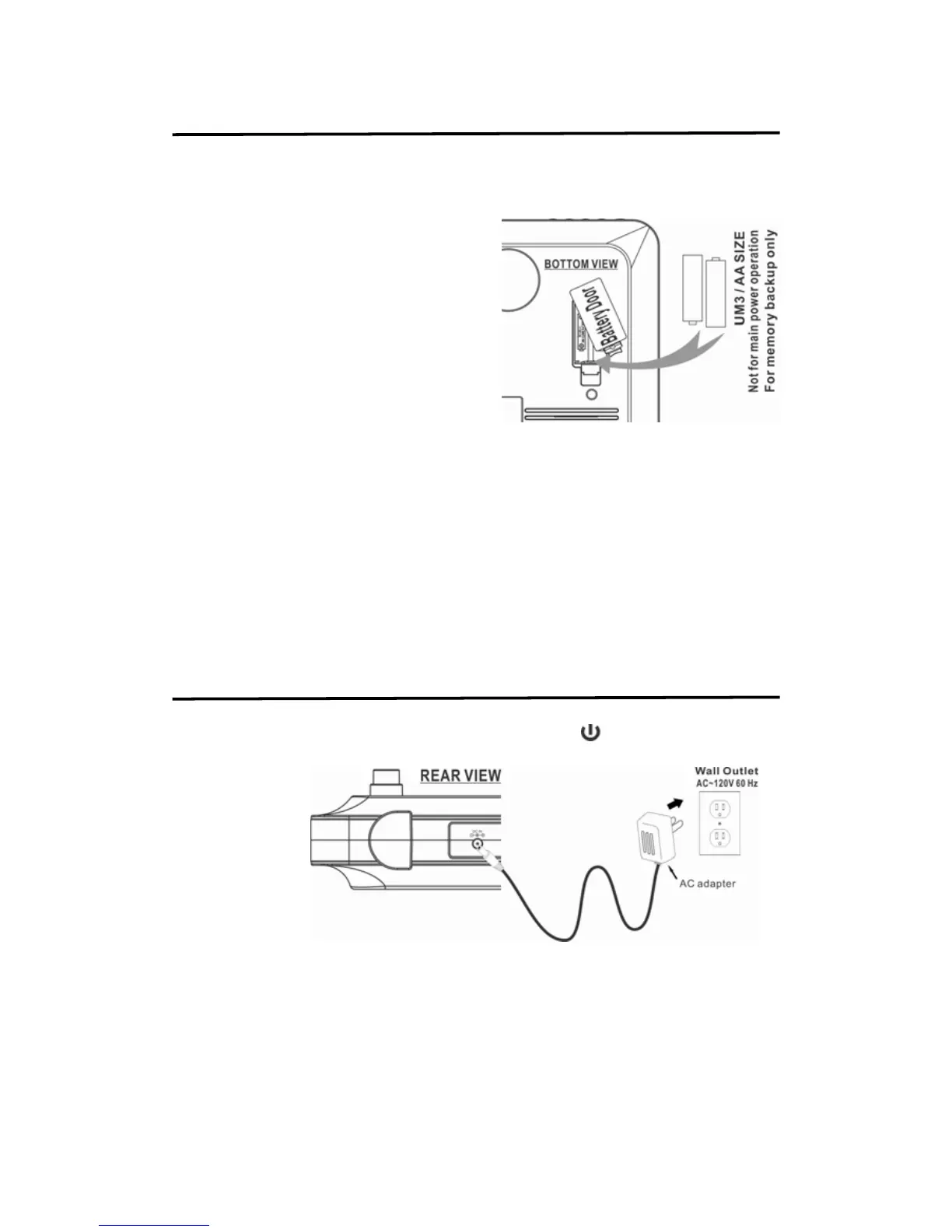
TO INSTALL I REPLACE BACKUP BATTERY
1. Make sure the AC adaptor is connected
during battery replacement. Otherwise all
settings may be lost and reset.
2. Pull one lug of the battery door at the back
of the unit as shown below
3. Insert the battery in the battery door with “+"
positive facing up. UM3 size battery should
be used.
4. Insert the battery door with new battery back
into the unit.
BATTERY WARNING:
1. Make sure the correct polarity of battery to be installed.
2. Make sure you dispose of batteries properly (refer to your local regulations).
3. Do not open batteries.
4. Do not dispose of batteries in fire.
5. Do not heat up batteries.
6. Do not expose batteries to water.
7. Do not change or recharge batteries.
CONNECTING POWER
Plug the small end of the supplied power adapter into the DC IN jack at the back of the unit and
plug the adapter body into the standard AC wall socket. Press
button to turn on or off unit
(standby mode).
CAUTION:
The unit is designed to operate from a mains supply of AC 120V~60Hz. If the adapter
does not fit properly, turn it over and again. Do not force it.
NOTE: When the unit is not operated by the AC power or unused for long periods of the
time. Please remove the power adapter from the wall outlet and unplug from the main
unit.


 To Next Page