EasyManua.ls Logo

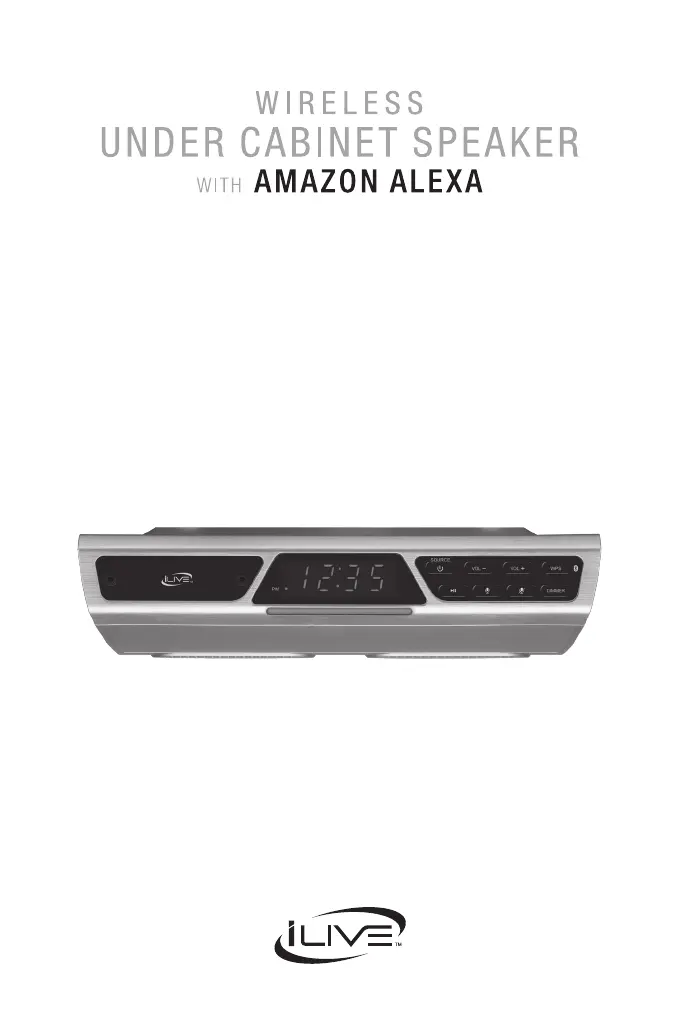
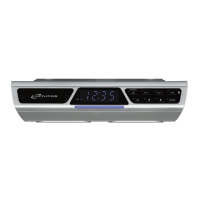
iLive IKBFV378S - User Manual

iLive IKBFV378S
24 pages
Print Icon
To Next Page IconTo Next Page
Loading...
User’s Guide for Model IKBFV378S v2018-01

Questions and Answers

  • S
    Stephanie BarnettAug 4, 2025
    What to do if Bluetooth won’t play or fails to connect on iLive Speakers?
    • D
      Diana AllenAug 4, 2025
      If your iLive Speakers aren't connecting via Bluetooth, ensure the volume on your Bluetooth device is at an audible level. Also, verify that the speaker is powered on and charged. Confirm that both the speaker and your device are in Bluetooth mode. When pairing, stay within 3 feet of the speaker.
  • G
    ghernandezAug 12, 2025
    What to do if I experience intermittent audio or no audio at all from my iLive Speakers?
    • K
      Kayla GrossAug 12, 2025
      If you're experiencing intermittent or no audio from your iLive Speakers, first ensure the volume on both the speaker and your connected device isn't too low. Interference or a weak Wi-Fi signal may be interrupting the reception; possible sources could be microwaves or cell phone signals, so try moving the system to another location. Also, stop other applications that may be streaming media from the internet.
  • K
    Kelly BradfordAug 20, 2025
    How to fix iLive IKBFV378S Speakers when I cannot complete Wi-Fi network setup?
    • T
      Timothy Campos DVMAug 20, 2025
      If you're having trouble completing the Wi-Fi network setup for your iLive Speakers, ensure the speaker has power and that you are connecting to the correct Wi-Fi network. If using a dual-band wireless router, use the 2.4GHz band. Make sure Wi-Fi is enabled on your mobile device. Test your internet connection by loading/reloading a webpage; if it fails, restart your router. As a last resort, uninstall and then reinstall the app, power the speaker off and then on, and restart setup.
  • L
    Lawrence HernandezAug 27, 2025
    What to do if iLive IKBFV378S produce white noise or don't function properly?
    • J
      Jacqueline SantanaAug 27, 2025
      If your iLive Speakers are producing white noise or not functioning properly, power the speaker off, and then on again. If that doesn't work, hold down the button for 10 seconds to reset the speaker.

Summary

SAFETY WARNINGS

FCC WARNINGS

Overview

Control Functions

Details the purpose and operation of each button on the speaker.

Setup

Speaker Power

Instructions on how to connect the speaker to a power source for initial use.

Download the Alexa App

Guide for downloading and installing the Amazon Alexa mobile application.

Download the iLive Wi-Fi App

Guide for downloading and installing the iLive Wi-Fi mobile application.

Connect to Wi-Fi

Step-by-step process to connect the speaker to a wireless Wi-Fi network.

Connect to Your Amazon Account

Instructions for linking the speaker to a user's Amazon account for Alexa integration.

iLive Wi-Fi App

Spotify Connect

Other Ways to Play

iLive IKBFV378S Specifications

General IconGeneral
BrandiLive
ModelIKBFV378S
TypePortable Bluetooth Speaker
ColorBlack
ConnectivityBluetooth
FeaturesBuilt-in microphone
Input VoltageDC 5V
Additional FeaturesBuilt-in FM radio

Related product manuals