18
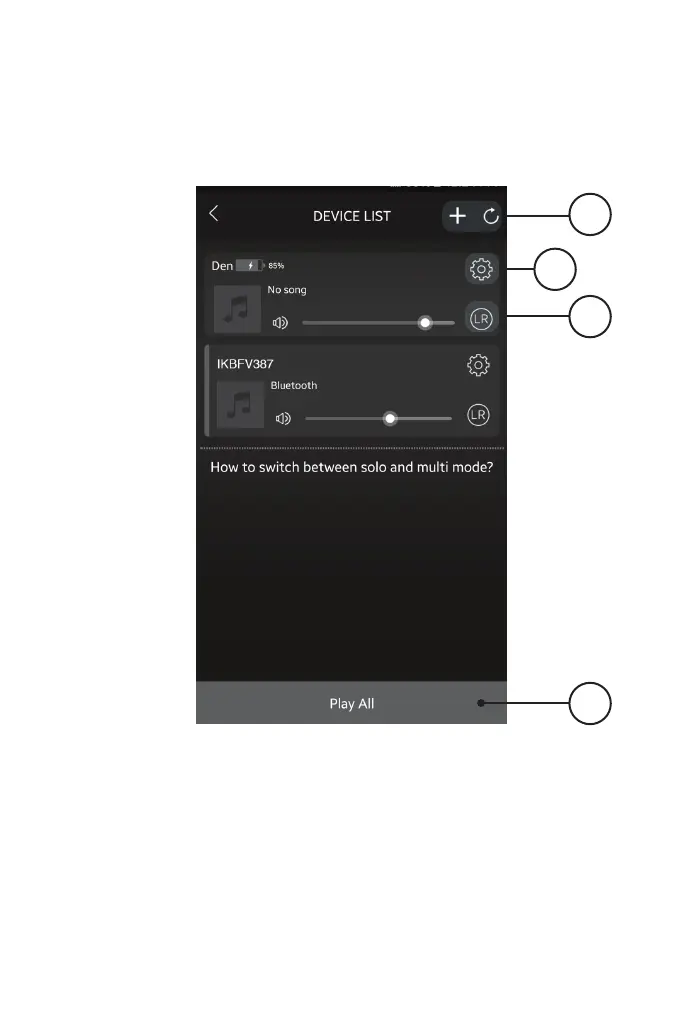
Device List Screen
1
3
2
1. Add Device/Refresh List
Add more speakers or refresh the list
of available devices.
2. Speaker Settings
Rename a speaker, set preset
stations, and nd additional
information on a speaker.
3. Audio Channel
Press to set audio channels for the
speaker: L / R / LR (left/right/stereo).
4. Play All
Play music on all connected
speakers.
ILIVE WI-FI APP
4


 To Next Page