10
4. Connect to Wi-Fi
To use the speaker’s Wi-Fi features, the speaker and your mobile device must both
be connected to a Wi-Fi network. The app will guide you through the process, just
follow the on-screen instructions and have your network password ready.
After the initial connection, the speaker will remember the Wi-Fi network and
automatically connect to it when it is in Wi-Fi Mode. If the speaker should become
disconnected or will not connect normally, repeat the steps below.
Initial Wi-Fi Connection
Note: If you have a dual band wireless router, be sure to connect to the 2.4GHz
band, not the 5GHz band.
1. Press the Power button to power on the speaker. The Mode/Connection LED
may ash multiple colors after rst powering on. This is normal, please
wait for the Mode/Connection LED to begin slowly ashing white, indicating the
speaker is in Wi-Fi Standby Mode.
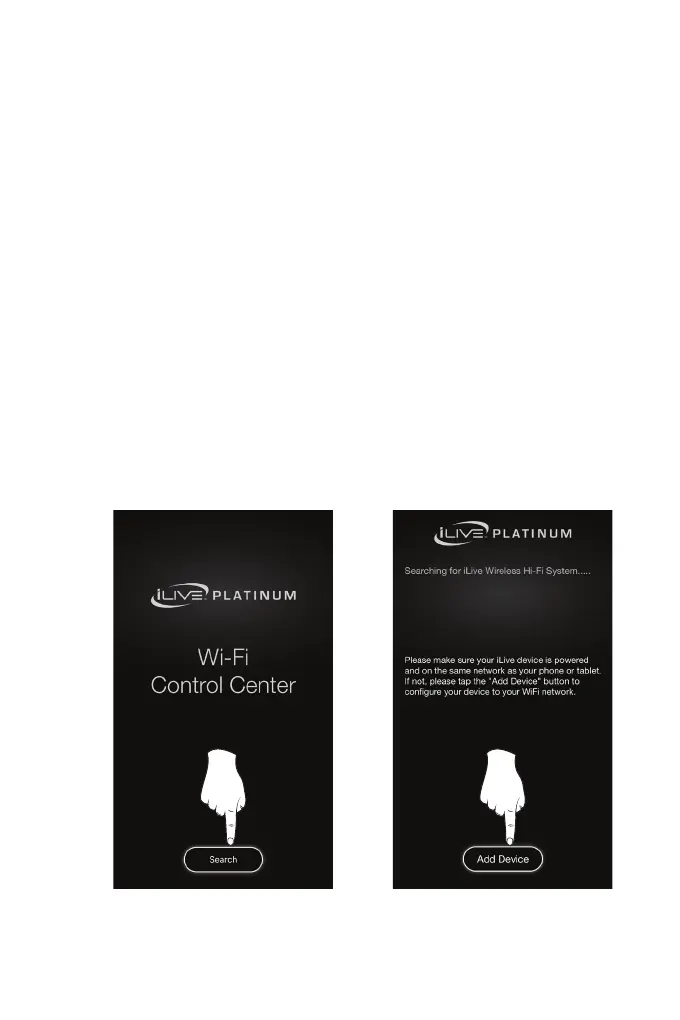
2. The speaker is now ready for setup. Open the iLive Wi-Fi app on your device
and press “Search”, then “Add Device” (Image A, B, below).
A. B.
SETUP


 To Next Page