11
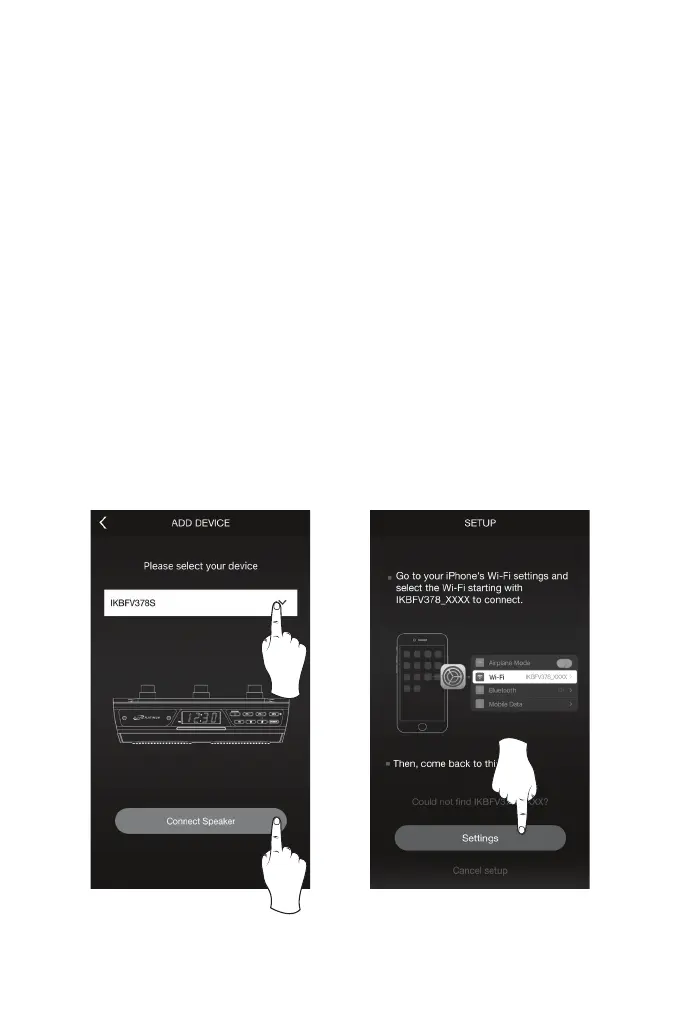
3. From the drop down menu, select the speaker IKBFV378S, then press “Connect
Speaker” (Image C, below).
4. The app will direct you to your mobile device’s Wi-Fi Settings Menu to connect
directly to the speaker. Press “Settings” (Image D, below) to go to your mobile
device’s Wi-Fi settings menu, then select IKBFV378_XXXX and return to the app
when you are connected.
C. D.
Setup instructions continued on the next page.


 To Next Page