12
E. F.
SETUP
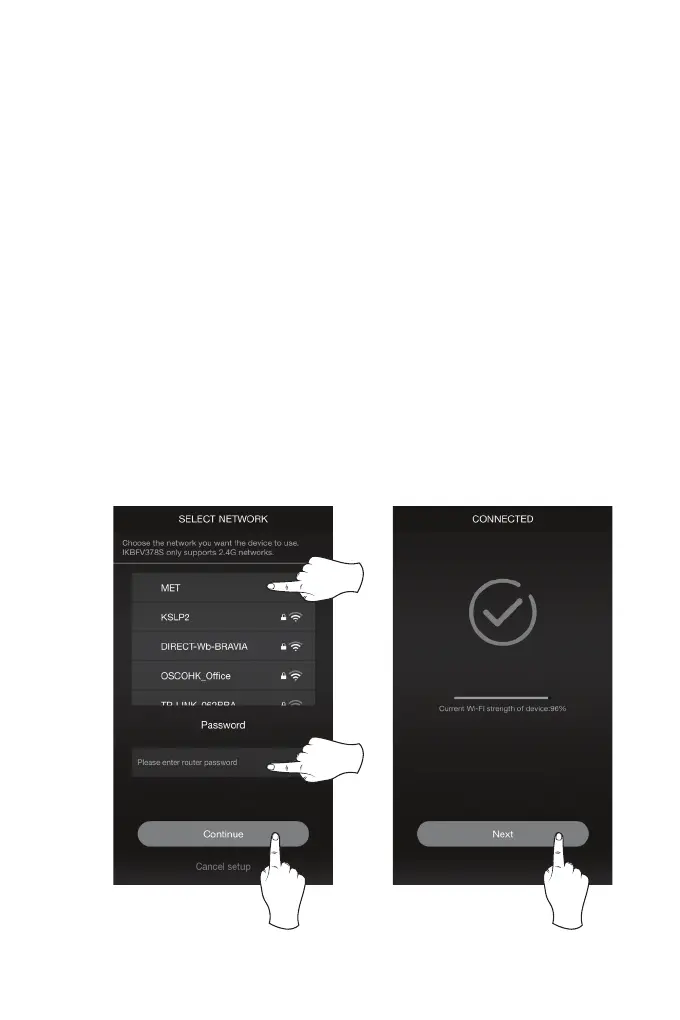
5. Once you have returned to the app, select your Wi-Fi network/router and enter
your password, then press “Continue”. This will connect your mobile device and
the speaker to your Wi-Fi (Image E, below).
6. The app will display it’s progress as it congures the speaker and your Wi-Fi
network. When this is complete, a voice will announce the successful connection
and the Mode/Connection LED will turn solid white. Press “Next” to proceed
to Amazon Alexa Setup (Image F, below).


 To Next Page