8
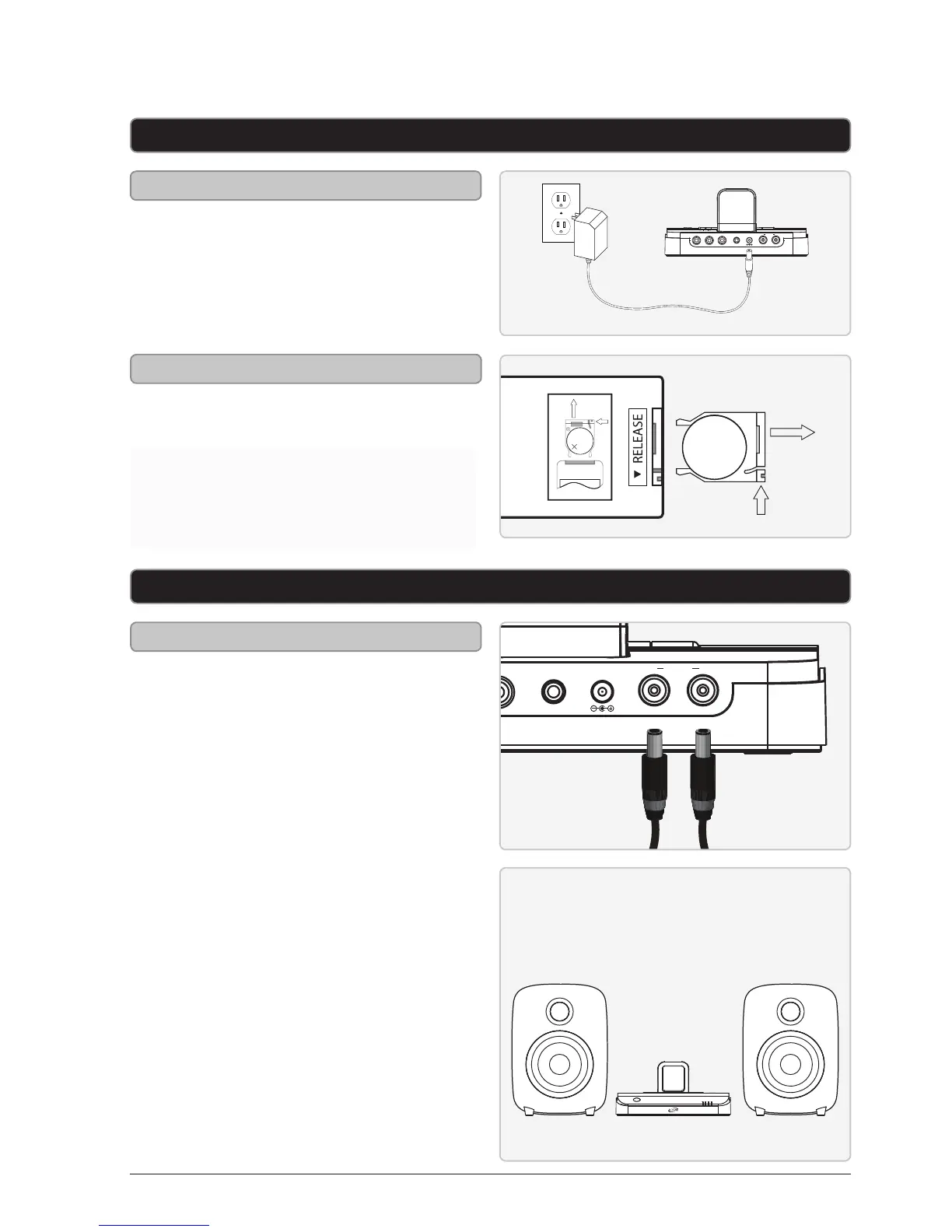
DC power input: requires an AC/
DC power adapter (included)
Power
DC IN 13VY Pb/Cb Pr/Cr
R LSPEAKER
OUT
LINE IN
Setup
WARNING: The remote control’s button
cell battery contains mercury. Do not
put in the trash, instead recycle or
dispose of as hazardous waste.
Connecting the Speakers and RCA Audio Inputs
Connecting the Speakers
Connect the included speakers to the
corresponding speaker connections
on the back of the speaker system.
Right
Speaker
(R)
Left
Speaker
(L)
Remote control: requires 1 CR2025
battery (pre-installed)
Remote
LITHIUM BATTERY
CR 2025
3V
CR2025
PUSH
OPEN
LITHIUM BATTERY
CR 2025
3V
CR2025
PUSH
OPEN



 To Next Page