10
Using the Stereo RCA Inputs
When connecting two products
using an RCA Cable, match the
colored ports with the same colored
connection. (Red to Red, White to
White, and Yellow to Yellow)
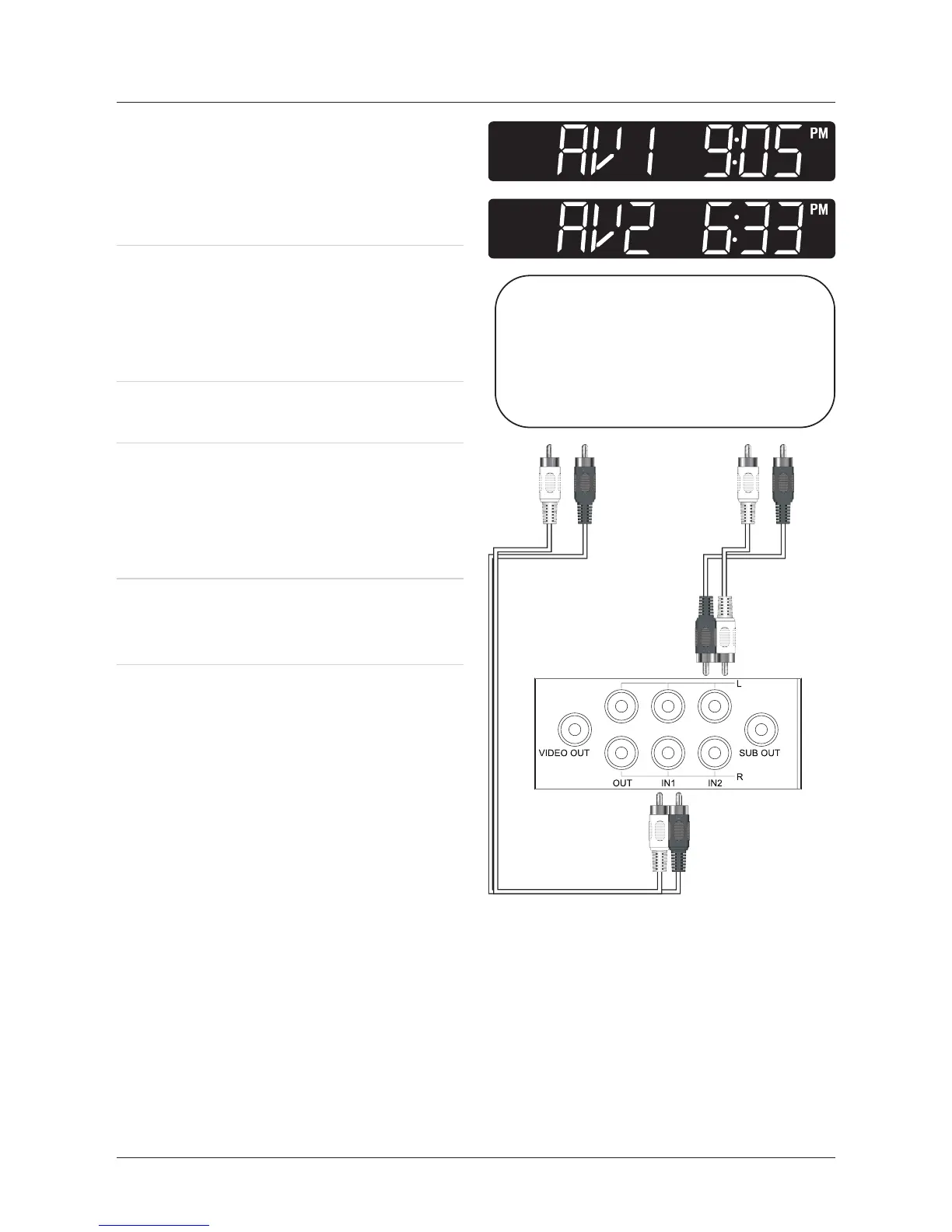
1. Connect a stereo RCA cable (not
included) to the Stereo RCA Inputs
on the unit and the stereo RCA
outputs on a television or sound
system.
2. Turn the unit on by pressing the
Power Button.
3. Press the Source Button to change
the unit to AV1 if the stereo RCA
cable is connected to IN1. Change
the unit to AV2 if the stereo RCA
cable is connected to IN2.
4. Audio played through the connected
television or sound system will now
be heard through the unit.


 To Next Page