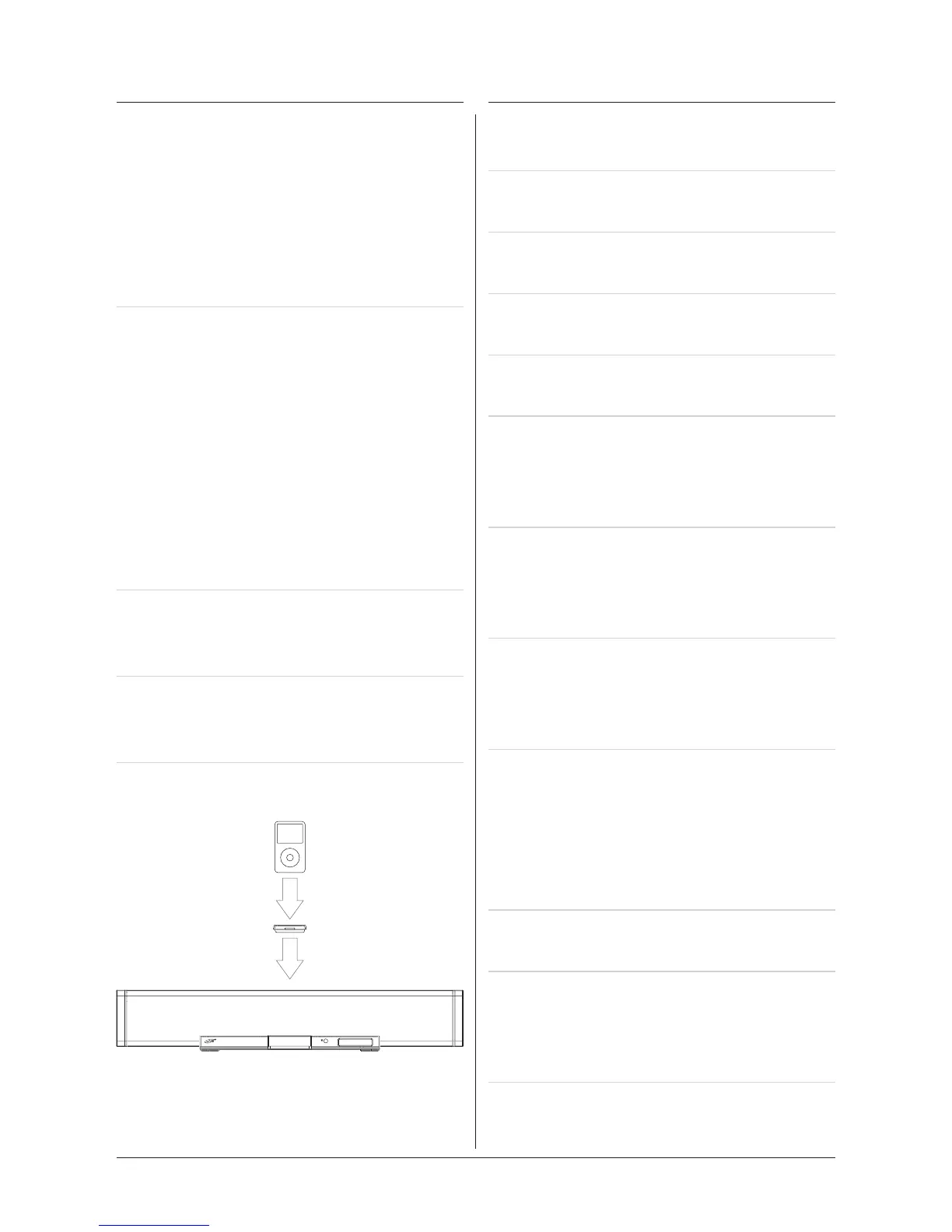
Docking an iPod
7
1. Locate the numbered Bracket that ts
the iPod that will be docked.
Each included Bracket has a number
on it, indicating which iPod model
that bracket is compatible with. See
the separate bracket chart page to
identify which bracket is needed.
2. Snap the Bracket into place over
the iPod connector in the Docking
Station.
AllBracketswillonlytonewayonto
the Dock.
WheninsertinganiPodnano(rst
or second generation), slide the
Dock connection on the unit so that it
matches the opening on the iPod nano
(rstorsecondgeneration).
3. Connect the iPod to the iPod
connector inside the Docking
Station.
Once an iPod is connected to the
Docking Station, the unit will play
and charge the docked iPod.
Playing an iPod
1. Connect an iPod to the Docking
Station. (See “Docking an iPod”)
2. Press the Power Button to turn the
unit on.
3. Press the Source Button to switch the
unit to iPod Mode.
4. Press the Play/Pause Button to begin
playing the docked iPod.
5. Turn the Volume Buttons to increase
or decrease the volume of the unit.
6. Press the REV and FWD Buttons to
skip tracks. Press and hold the REV
and FWD Buttons to search through
individual tracks.
7. Press the Chapter, Album, or
Playlists Buttons on the remote
to navigate through the chapters,
albums, or playlists on a docked iPod.
8. Press the Directional Buttons and
Select Button on the remote to
navigate the iPod’s menu and make
selections.
9. Press the Repeat/ST Button to turn
the repeat option on the docked
iPod, off or on. Press the Repeat/ST
Button once to repeat the current
audio track and twice to repeat an
entire album or playlist.
10. Press the Menu Button on the remote
to access the docked iPod’s menu
Please note, if the docked iPod is not
updated with the latest firmware from
Apple, it may not function properly
with the unit.


 To Next Page