Illustra Flex 3MP and 8MP Outdoor Bullet Quick Start Guide
8200-1456-03 G0 6
Remove the protective part of the unit when every item is checked in accordance with the list in In
the box on page 5.
Procedure 1 Mounting the camera
Step Action
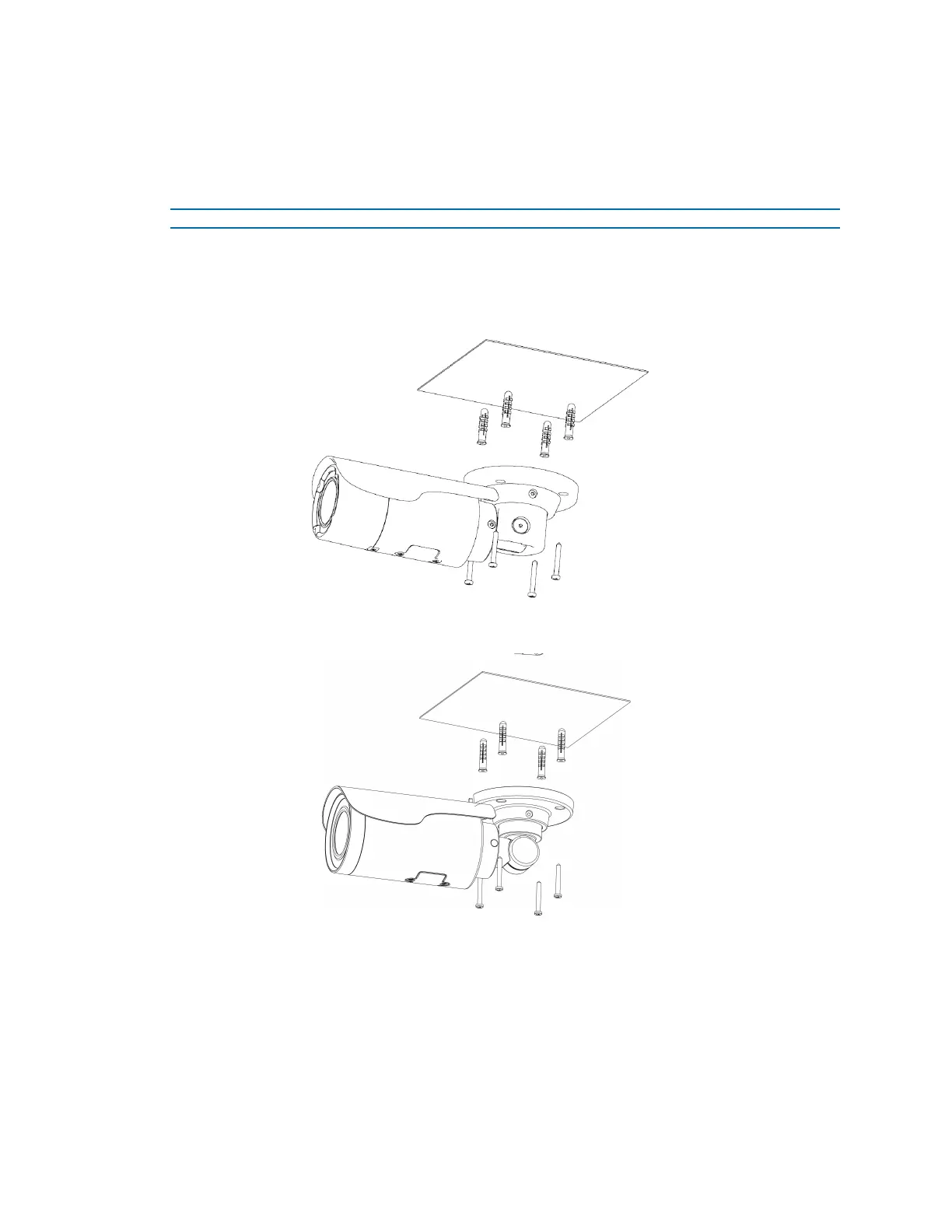
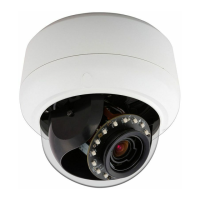
1 Affix the mounting template to the surface. After you drill the holes, knock in 4 plastic
anchors and then lock in the 4 self-tapping screws to fasten the camera to the surface.
Figure 9 Mounting the Illustra Flex 3MP (IFS03B1BNWIT) Bullet camera to a ceiling
Figure 10 Mounting the Illustra Flex 3MP (IFS03B1ONWIT) and 8MP Bullet cameras to a ceiling
2 Mount the unit onto the ceiling and fasten it securely as seen in Figure 9 on page 6 and
Figure 10 on page 6 or if mounting onto a wall refer to Figure 11 on page 7 and Figure 12 on
page 7.


 To Next Page