Illustra Flex 3MP Indoor and Outdoor Dome Cameras Quick Start Guide
8200-1456-02 E0 8
CAUTION
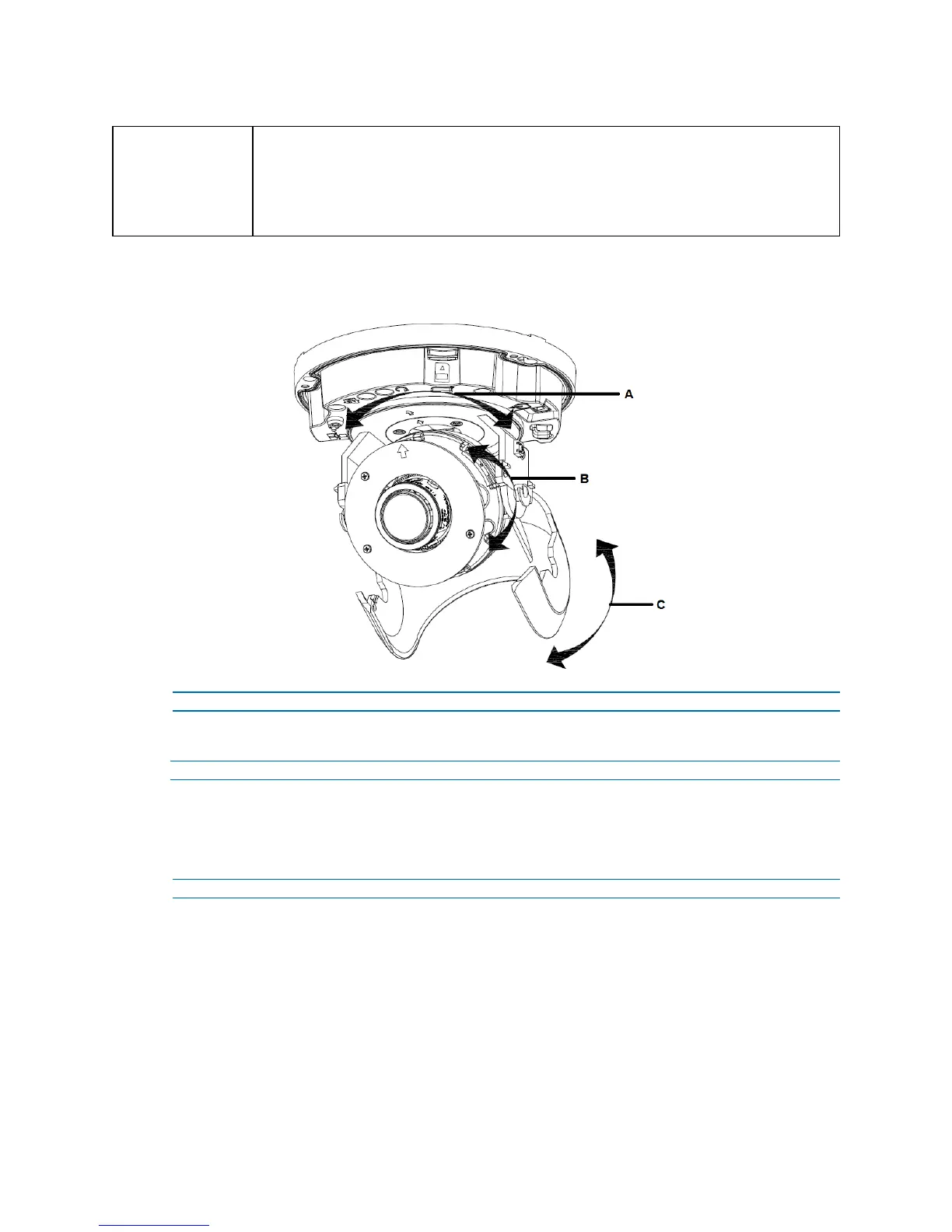
Limitation for three axes position:
• Pan range: 375°
• Tilt range: 90°
• Rotate range: Motorize Lens 356°
Figure 11 Adjusting the position of the camera
- End -
Procedure 5 Locking the Camera
Step Action
1 Use a soft, lint-free cloth to wipe the dome cover and remove fingerprints.
2 Attach the inner liner and camera housing.
3 Turn the power on after you have install the unit.
- End -


 To Next Page