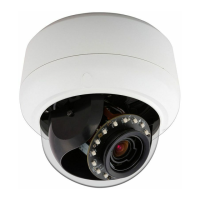
Illustra Flex 3MP Indoor and Outdoor Dome Cameras Quick Start Guide
8200-1456-02 E0 20
Procedure 13 Connecting from a computer
Step Action
1 Ensure the camera and your computer are in the same subnet.
2 Check whether if the network is available between the unit and the computer by pinging the
default IP address.
a Start a command prompt.
b Type “Ping 192.168.1.168”. If the message “Reply from…” appears, it means the con-
nection is available.
3 Start Internet Explorer and enter IP address: 192.168.1.168. A login window appears. In the
window, enter the default user name: admin and password: admin to log in.
- End -
DHCP
On initial camera startup, and after a hardware factory reset, Dynamic Host Configuration Protocol
(DHCP) is enabled by default and remains enabled until the camera receives either a DHCP address
or is assigned a Static IP address.
Procedure 14 Enable DHCP
Step Action
1 Select Setup on the Web User Interface banner to display the setup menus.
2 Select the TCP/IP tab in the Basic Configuration menu.
3 Select the Enable DHCP check box to enable DHCP and disable manual settings.
4 Select Apply to save the settings.
The camera searches for a DHCP server. If one is found it connects to that server. If no connection
is made to a DHCP server within two minutes, the camera goes to the default IP address
192.168.1.168, but continues to search for a DHCP address.
Note:If you assign the camera a Static IP address prior to DHCP being enabled, the camera first
reboots for approximately 30 seconds and then remains accessible at its Static IP until it connects to
a DHCP server.
- End -
Procedure 15 Disable DHCP
Step Action
1 Select Setup on the Web User Interface banner to display the setup menus.
2 Select the TCP/IP tab in the Basic Configuration menu.
3 Clear the Enable DHCP check box to disable DHCP and allow manual settings to be
entered.
The default setting is ‘Enabled’.
4 If Enable DHCP has been disabled:


 To Next Page