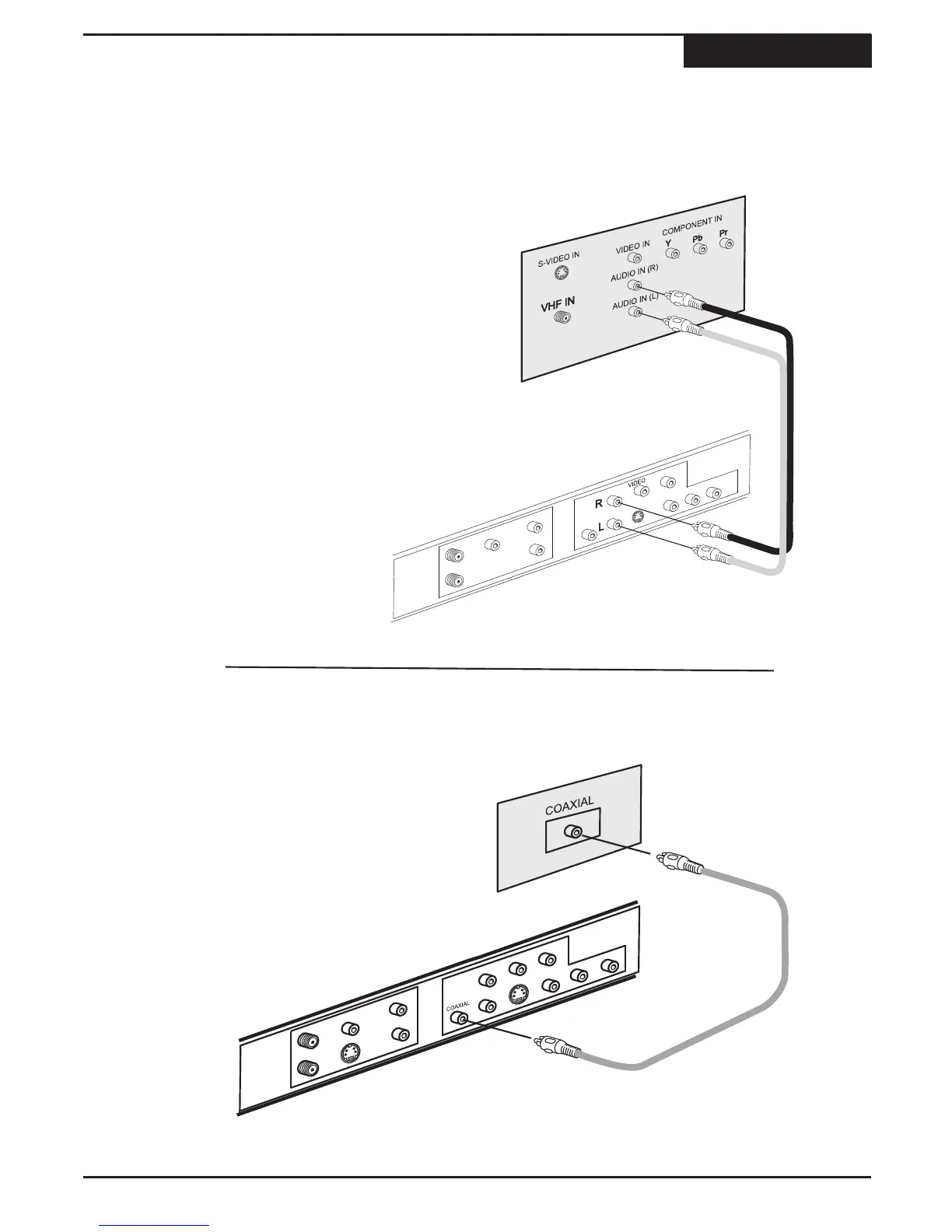
This unit features a variety of audio line outputs for connection to a receiver or other audio equipment. Use the
included A/V cable to connect the stereo audio outputs for connection to a TV or stereo receiver.
A COAXIAL digital audio output is able to send an encoded digital bitstream, suitable for receivers with Dolby or
DTS decoding capability. These outputs require special cables (not included).
Audio Output
Connections
11
The Recorder
Stereo audio amplifier or receiver
AUDIO CABLE
( NOT INCLUDED )
1
You can connect the coaxial output from the
recorder to the coaxial digital input on an AV
amplifier or receiver.
First, obtain a special audio cable. Connect the
analog stereo output from the unit to the
corresponding input on your stereo amplifier or
receiver.
1
WHITE
RED
Digital Input - Coaxial
The Recorder
COAXIAL CABLE
( NOT INCLUDED )



 To Next Page