Getting on the list of instruments Logger
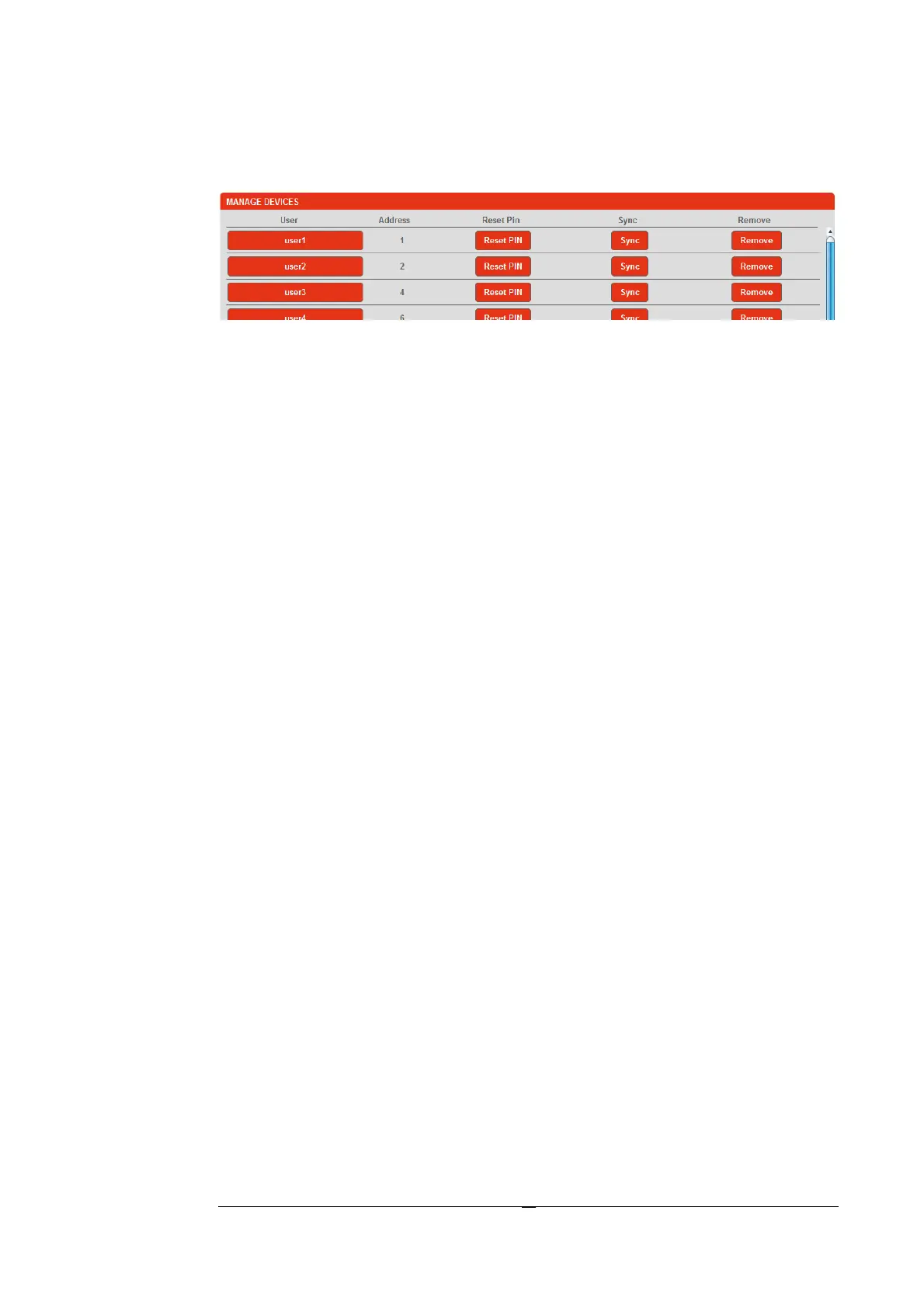
Through the "Manage Devices" it is possible to add devices, remove and /
or modify some of them.
User names : each must be unique. They are "Case sensitive" and each
represents a particular instrument. The name is also the "login" of the
individual user.
Reset PIN : is a feature designed to reset the password that a user had
forgotten (Each user has a password to access).
The default password will be the default "1234".
Sync : in case of replacement of a device, it is mandatory to operate on
this button in order to "synchronize" the database thus signaling the
change of the date to the function "report" (by a “Bookmark sync”).
If between the dates of beginning and end of the period analyzed there is
a Bookmark Sync, that means the report could contain incorrect energy
values but marked with the "Sync" in the space of "Warning".
Remove : completely removes a device from the list and its whole
database.


 To Next Page