Need help?
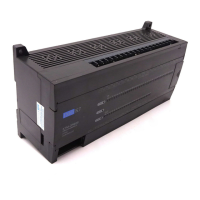
Do you have a question about the IMO Precision Controls K7M-DR30S and is the answer not in the manual?
Lists the general specifications of the K7 series CPU module, including memory and I/O points.
Explains the different modes of operation processing for the CPU module.
Covers program classification, processing methods, and interrupt functions.
Explains interrupt functions, types (TDI, PDI), priority, and handling.
Explains the four operation modes: RUN, STOP, PAUSE, and DEBUG.
Describes processing and contents when the PLC is in RUN mode.
Details processing and contents when the PLC is in STOP mode.
Explains operation processing and contents in PAUSE mode.
Covers operation processing and checking in DEBUG mode for program analysis.
Explains methods for changing operation modes via switch or software.
Describes various functions of the CPU module, including self-diagnosis and I/O force.
Explains the self-diagnosis, watchdog timer, and battery check functions.
Details the I/O force on/off function for testing I/O modules and wiring.
Details the memory configuration for program memory and data memory.
Explains how I/O numbers are allocated to modules for addressing.
Describes the structure and usage of the built-in flash memory for storing user programs.
Details specifications for base unit digital inputs, including points, insulation, and voltage.
Lists specifications and circuit diagrams for base unit digital inputs.
Details specifications for base unit digital outputs, including points, load, and life.
Details the high-speed counter function, its features, specifications, and instructions.
Explains the pulse output function for motor control, including modes and specifications.
Details the built-in PID control function, operations, and parameter settings.
Details Modbus protocol communication support, including ASCII and RTU modes.
Provides essential wiring instructions for the PLC system components.
Details instructions for correctly wiring the power supply to the PLC system.
Explains wiring procedures for connecting input and output devices to the PLC.
Covers grounding requirements to ensure proper noise immunity for the PLC.
Provides basic instructions for troubleshooting PLC system faults and errors.
Explains procedures for diagnosing causes of troubles and applying corrective actions.
Flowchart for troubleshooting when the POWER LED is OFF.
Flowchart for troubleshooting when the ERR LED is flickering.
Flowchart for troubleshooting when the RUN LED is OFF.
Flowchart for troubleshooting I/O module operation issues.
Flowchart for troubleshooting issues preventing program writing to the CPU.
Lists all error codes, their causes, and recommended corrective actions.
 General
| Brand | IMO Precision Controls |
|---|---|
| Model | K7M-DR30S |
| Category | Controller |
| Language | English |


 To Next Page