Note
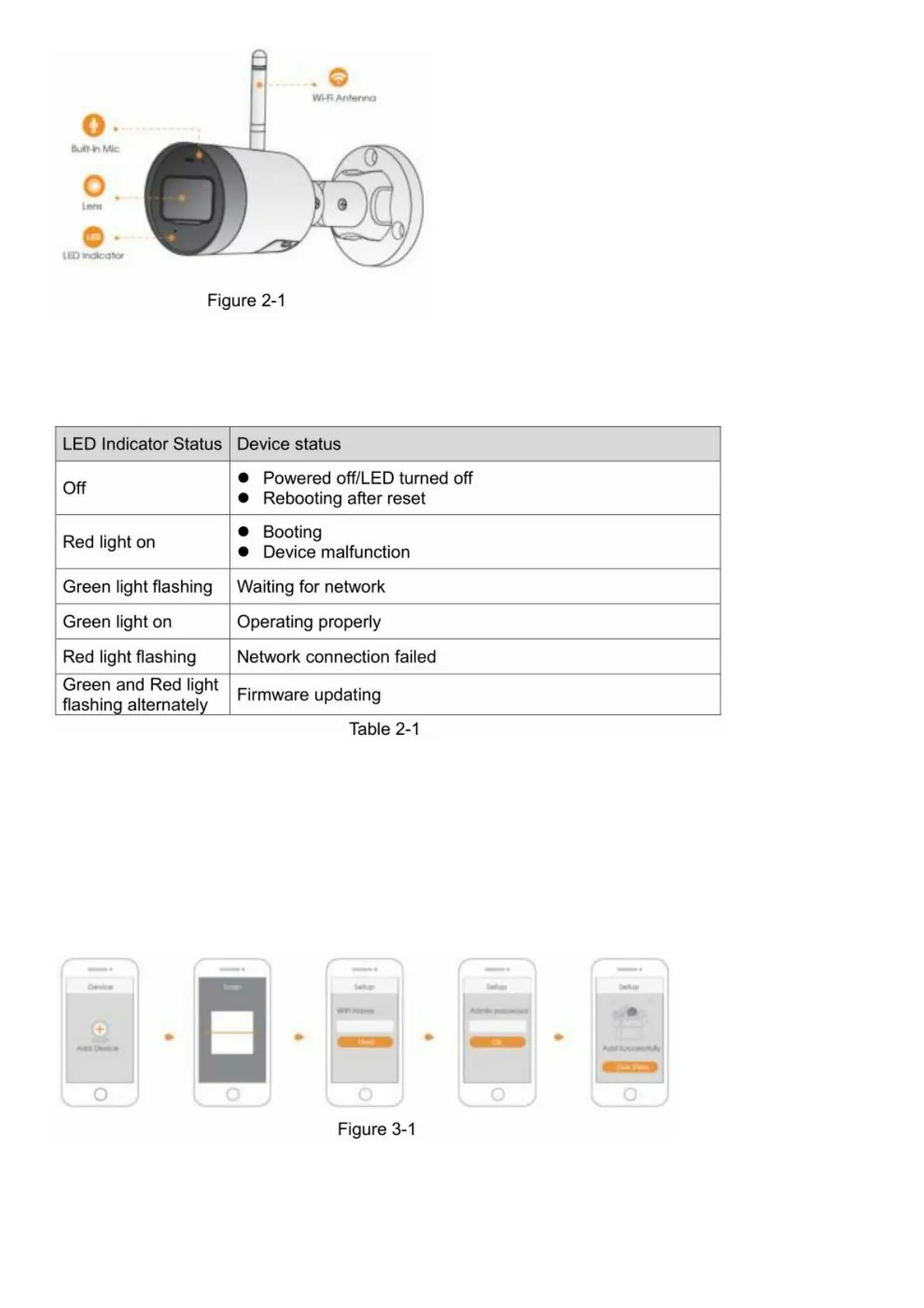
Press and hold the Reset button for 10 s to reset the camera.
The pattern of the LED indicator is included in the following table.
Operation With Imou App
Step 1 Scan the following QR code or search “Imou” in Google Play or App Store to download and install Imou App.
Step 2 Run Imou App, and then register an account for first use.
Step 3 Connect the camera to power source with the power adapter.
Step 4 Wait for booting to be finished, and then the camera indicator flashes with green light.
Step 5 Connect your smart phone to your Wi-Fi network, and make sure your smartphone is connected to Wi-Fi
network with 2.4 GHz band, and then do the following operations to finish adding camera.
Note
– If you have more than one camera, do step 5 to add them one by one.
– If the Wi-Fi network changed or the indicator status goes wrong,reset the camera, and then do step 5 to add it
again.



 To Next Page