EasyManua.ls Logo

IMOU Bullet 2S - User Manual

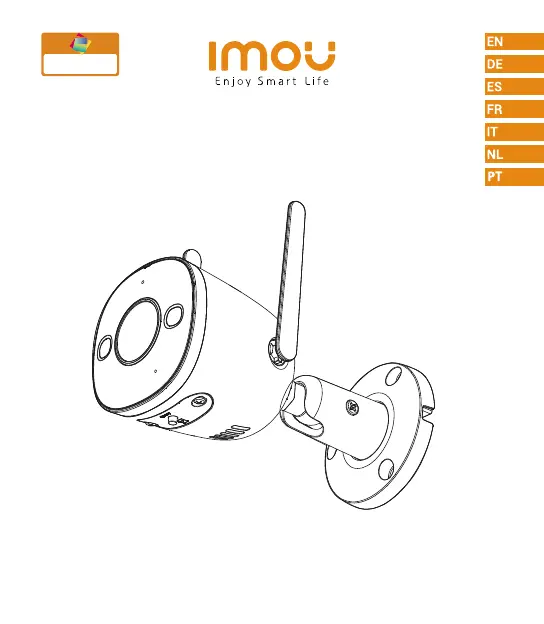
IMOU Bullet 2S
8 pages
Print Icon
To Next Page IconTo Next Page
Loading...
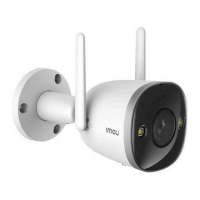
Bullet 2S
Bullet 2S 4MP
Quick Start Guide
www.imoulife.com
Full olor
Night Vision

Questions and Answers

  • L
    Lisa DodsonJul 28, 2025
    What to do if my IMOU Security Camera is offline?
    • C
      Chelsea TuckerJul 28, 2025
      If the green light is on, verify that your router has internet connectivity. If the internet is working, try restarting the camera. If the red light flashes, reset the camera and configure it again. A solid red light indicates a camera fault.
  • A
    aliciacraneAug 3, 2025
    How to fix 'Failed to configure device network' error on IMOU Security Camera?
    • A
      Amy SchmidtAug 3, 2025
      First, try resetting your camera and connecting it again. Also, some cameras only support 2.4GHz Wi-Fi. If your router has dual-band (2.4GHz/5GHz), make sure you are connecting to the 2.4GHz network.
  • G
    George WoodAug 9, 2025
    Why is human detection not working on my IMOU Security Camera?
    • E
      erica81Aug 10, 2025
      Ensure that you have enabled “Human Detection” in the Device Settings screen of the Imou Life App.
  • H
    Heather RodriguezAug 16, 2025
    Why is there no audio on my IMOU Security Camera?
    • D
      Dr. Timothy Lowe MDAug 16, 2025
      First, ensure that the audio function is turned on in the camera settings. Second, make sure that the audio is turned up on your viewing device.
  • B
    blackrichardAug 21, 2025
    What happens when the Micro SD card is full in my IMOU Security Camera?
    • C
      Charles LawsonAug 21, 2025
      When the Micro SD card reaches its full capacity, the system will automatically overwrite the oldest recorded videos. Make sure to save any important footage in time to prevent data loss.

Summary

Welcome

Package Content

Camera Introduction

Camera Components Overview

Diagram labeling key parts like LED Indicator, Lens, Mic, Buttons, Spotlight, and Antenna.

LED Indicator Status

Explanation of LED states and corresponding device operational statuses.

App Setup and Download

Wireless Performance Tips

Guidance on optimizing wireless connection by avoiding obstacles and interference.

Camera Installation

Mounting and Power Connection

Guidance on using mounting screws, wall anchors, and connecting the power adapter.

Troubleshooting

IMOU Bullet 2S Specifications

General IconGeneral
Total megapixels2 MP
Maximum resolution1920 x 1080 pixels
Video compression formatsH.264, H.265
Sensor typeCMOS
Progressive scanYes
Optical sensor size1/2.8 \
TypeIP security camera
Antenna typeExternal
CertificationCE, FCC
Antennas quantity2
Placement supportedIndoor
Connectivity technologyWired & Wireless
Built-in HDDNo
Compatible memory cardsMicroSD (TransFlash)
Maximum memory card size256 GB
Siren noise level110 dB
Alert notification typeText alert message
Form factorBullet
Mounting typeCeiling/wall
Product colorWhite
Housing materialMetal
Protection featuresDust resistant, Waterproof
International Protection (IP) codeIP67
DC output current1 A
DC output voltage12
Power source typeAC, DC
Power consumption (typical)10 W
Digital zoom16 x
Focus adjustment1.2
Number of lenses-
Fixed focal length3.6 mm
Operating temperature (T-T)-30 - 60 °C
Operating relative humidity (H-H)0 - 95 %
Mobile operating systems supportedAndroid, iOS
LED typeIR
Night vision distance30 m
Number of cameras1
Audio system2-way
Frequency band2.4 GHz
Wi-Fi standards802.11b, 802.11g, Wi-Fi 4 (802.11n)
Ethernet interface typeFast Ethernet
Supported network protocolsONVIF
Harmonized System (HS) code85258900
Weight and Dimensions IconWeight and Dimensions
Depth151.9 mm
Width82.9 mm
Height113.3 mm
Weight460 g

Related product manuals