EasyManua.ls Logo

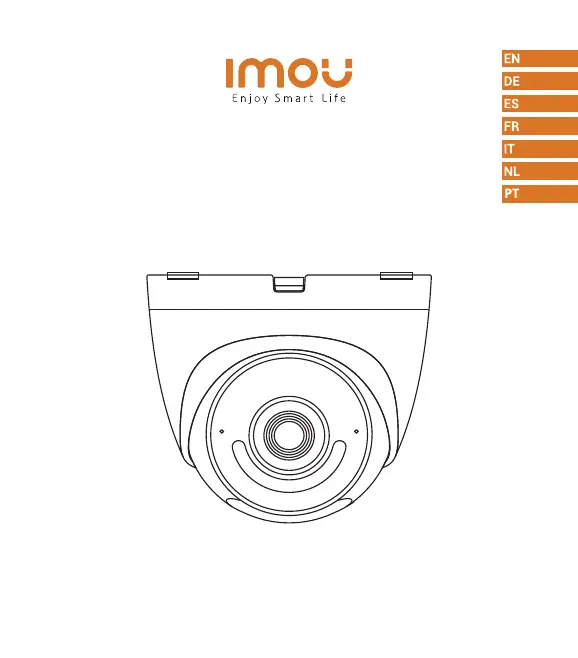
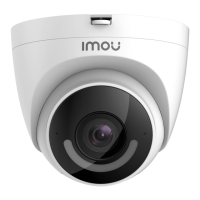
IMOU Turret - User Manual

IMOU Turret
50 pages
Print Icon
To Next Page IconTo Next Page
Loading...
Turret
Quick Start Guide
www.imoulife.com

Questions and Answers

  • M
    Michael LopezJul 28, 2025
    What to do if my IMOU Security Camera cannot work normally or start?
    • T
      Tim JenningsJul 28, 2025
      Ensure that the network cable is properly connected and that the NVR or switch supports POE power supply. When the indicator light on the NVR or switch flashes, it indicates that the camera is receiving power.
  • C
    Charles CastanedaAug 4, 2025
    Where are the recorded videos saved on IMOU Digital Camera?
    • E
      Elizabeth PhillipsAug 4, 2025
      Recorded videos are saved either in the NVR or in the Imou cloud if you have enabled it.
  • D
    Dennis SmithAug 9, 2025
    Why is the IR effect not good on my IMOU Turret?
    • L
      Luke NormanAug 10, 2025
      If the IR effect of your IMOU Digital Camera is not good, it might be because the infrared light is reflecting off something and interfering with the lens. Try adjusting the lens angle to avoid any obstructions around it.
  • U
    ubowmanAug 15, 2025
    Where are the recorded videos saved from my IMOU Security Camera?
    • C
      Cheryl CarterAug 15, 2025
      Your recorded videos are saved in the NVR. If you have enabled the Imou cloud, your recorded videos are saved in the Imou cloud.
  • S
    Sara BrownAug 21, 2025
    Why is the IR effect not good on my IMOU Security Camera?
    • J
      Jonathan GravesAug 21, 2025
      The infrared light might be reflected to the lens. To resolve this, adjust the lens angle to avoid occlusions around the lens.

Summary

Welcome

Package Contents

Camera Introduction

Ceiling Mounting

Adjusting Angle

Instructions for adjusting the camera's viewing angle after installation.

Wall Mount

Guidance on how to mount the camera on a wall.

Troubleshooting

IMOU Turret Specifications

General IconGeneral
Mounting kitYes
Number of cameras1
TypeIP security camera
Antenna typeExternal
CertificationCE, FCC
Antennas quantity2
Placement supportedIndoor & outdoor
Connectivity technologyWired & Wireless
Maximum operating distance100 m
Mounting typeCeiling/wall
Product colorWhite
Housing materialMetal, Plastic
International Protection (IP) codeIP67
Operating temperature (T-T)-30 - 60 °C
Operating relative humidity (H-H)0 - 95 %
DC output current1 A
DC output voltage12
Power source typeDC
Power consumption (typical)7 W
Audio system2-way
Digital zoom16 x
Number of lenses-
Fixed focal length2.8 mm
Total megapixels2 MP
Maximum resolution1920 x 1080 pixels
Video compression formatsH.264, H.265
LED typeIR
Night vision distance30 m
Sensor typeCMOS
Optical sensor size1/2.7 \
BluetoothNo
Frequency band2.4 GHz
Wi-Fi standards802.11b, 802.11g, Wi-Fi 4 (802.11n)
Supported network protocolsCGI, ONVIF
Compatible memory cardsMicroSD (TransFlash)
Maximum memory card size256 GB
Siren noise level110 dB
Mobile operating systems supportedAndroid, iOS
Harmonized System (HS) code85258900
Weight and Dimensions IconWeight and Dimensions
Height102.2 mm
Weight352 g
Diameter109.9 mm

Related product manuals