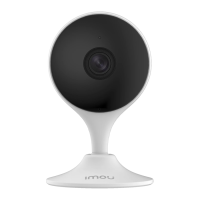
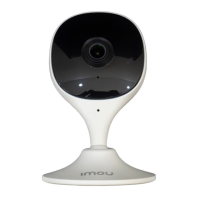
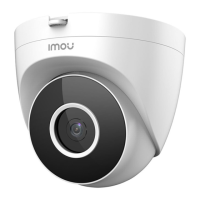
This document provides a quick start guide for the Imou Cue 2 smart home camera, designed to offer easy-to-use surveillance. The camera is part of the "Enjoy Smart Life" product line, focusing on user-friendly smart home solutions.
Function Description:
The Imou Cue 2 is a smart home camera primarily used for video surveillance. It features a lens for capturing video, a built-in microphone for audio recording, and a built-in speaker for two-way communication or alerts. The camera supports local storage via a Micro SD card slot and is powered through a USB power adapter. It is designed for easy setup and integration with the Imou Life app, available on App Store, Google Play, and Windows. The device includes a reset button for troubleshooting and a LED indicator to show its operational status. Human detection is a key feature, allowing the camera to identify human presence and potentially trigger alerts. The camera can be mounted on a ceiling, offering flexible placement options.
Important Technical Specifications:
- Model: Cue 2 (specifically IPC-C22E-IMOU as mentioned in the introductory note).
- Power Input: DC 5V1A (indicated by the power adapter specification).
- Storage: Micro SD Card Slot (for local video storage).
- Connectivity: Wi-Fi (supports 2.4GHz, with some models potentially supporting dual-band 2.4G/5G, though 2.4GHz is emphasized for connection).
- Operating Temperature Range: -10°C to +45°C (indicated by the temperature icon).
- Components: Camera lens, built-in mic, built-in speaker, Micro SD card slot, power port, reset button, LED indicator.
- Included Accessories: Camera, positioning map, power adapter, power cable, quick start guide, screw package, mounting plate.
Usage Features:
- Easy Setup: The camera is designed for quick installation using the Imou Life app. Users scan a QR code on the camera to initiate the setup process, which involves connecting to Wi-Fi and configuring device settings.
- Mobile App Control: The Imou Life app (available for iOS, Android, and Windows) serves as the primary interface for managing the camera. It allows users to view live feeds, access recorded footage, and configure various settings.
- LED Indicator Status: The camera provides clear visual feedback through its LED indicator:
- Off: Powered off or LED turned off.
- Red light on: Booting or device malfunction.
- Green light flashing: Waiting for network.
- Green light on: Operating properly.
- Red light flashing: Network connection failed.
- Green and red light flashing alternately: Firmware updating.
- Reset Functionality: A reset button allows users to restore the camera to its factory settings by pressing and holding it for 10 seconds, useful for troubleshooting or re-pairing.
- Human Detection: This feature, configurable within the Imou Life app, enables the camera to specifically detect human figures, reducing false alarms from other movements.
- Two-Way Audio: The built-in microphone and speaker facilitate two-way communication, allowing users to listen in and speak through the camera.
- Flexible Mounting: The camera supports ceiling mounting (optional), providing versatility in placement to achieve optimal surveillance angles. The package includes a mounting plate, expansion bolts, and self-tapping screws for this purpose.
- Wireless Performance Tips: To ensure optimal wireless performance, users are advised to minimize obstacles and electromagnetic interference between the camera and the Wi-Fi router.
Maintenance Features:
- Troubleshooting Guide: The manual includes a comprehensive troubleshooting section to address common issues such as:
- Cannot set up camera: Solutions involve checking Wi-Fi range, LED status, and resetting the camera.
- "Failed to configure device network" / "Failed to bind": Advice includes resetting the camera, ensuring 2.4GHz Wi-Fi connection, and checking router connectivity/signal strength.
- No picture / signal: Suggestions include verifying LED status (steady green), ensuring proper power connection, and repositioning the camera or router.
- Picture is not clear: Users are advised to clean the camera lens, check for dirt/dust/spider webs, and remove any vinyl covers.
- No audio: Solutions involve ensuring the audio function is turned on in the camera settings and that the viewing device's volume is up.
- Human detection not working: Users should verify that "Human Detection" is enabled in the Imou Life app's device settings.
- Camera stuck downwards: Disabling "Camera Shielding" in the Imou Life app is suggested.
- Phone not reading QR code: Recommendations include cleaning the smartphone's camera lens, ensuring sufficient light on the QR code, and not holding the QR code too close to the camera.
- Firmware Updates: The LED indicator status for "Firmware updating" suggests that the device supports over-the-air firmware updates, which are crucial for security and feature enhancements.
- Cleaning: The manual explicitly mentions cleaning the camera lens with a soft, clean cloth for clear picture quality.

 Need help?
 General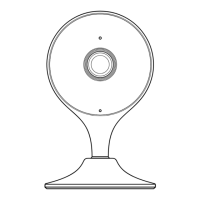

 To Next Page