43
DE
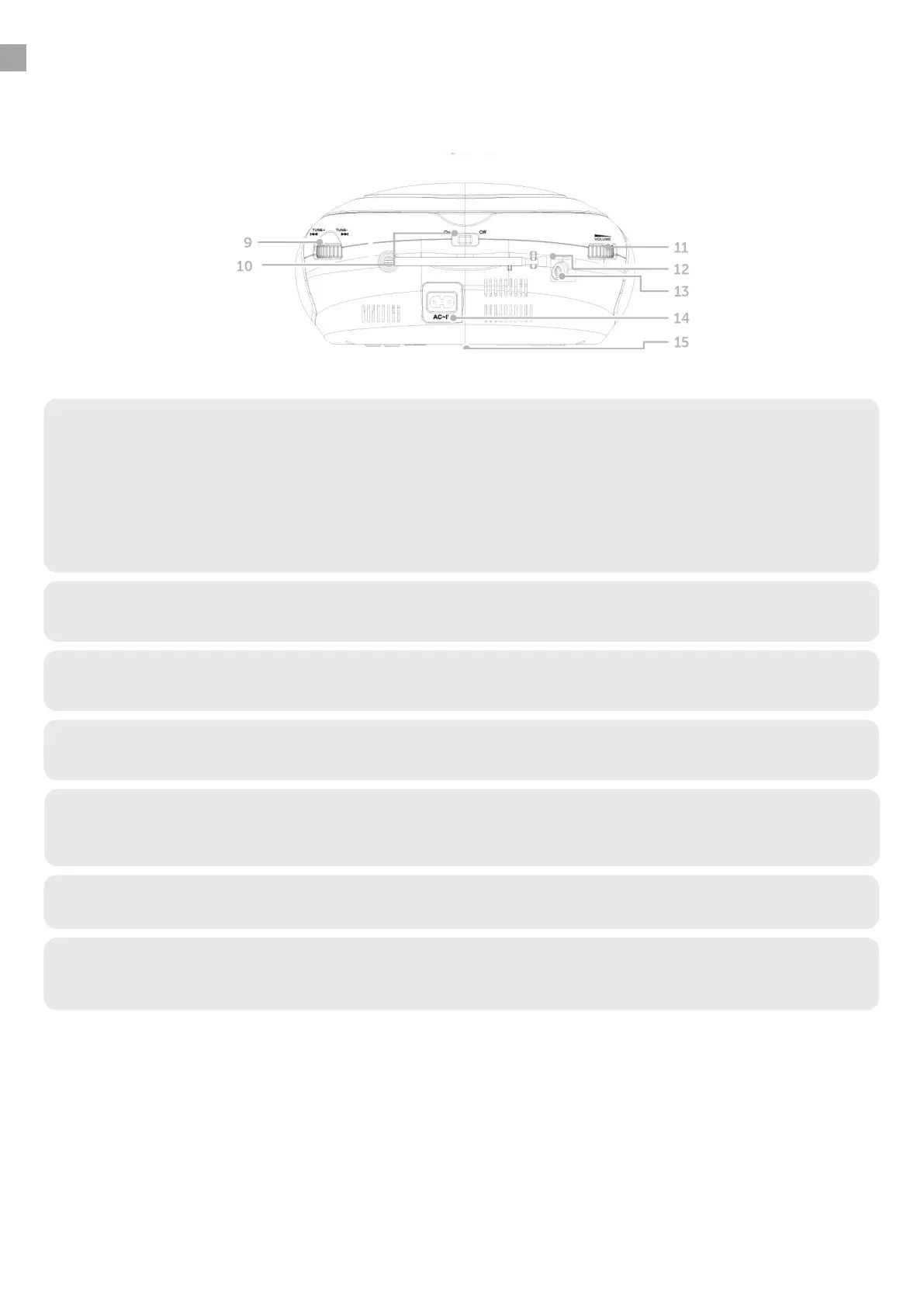
4.2 Back
9. Tune
• Turn this knob in FM mode to tune into stations.
• Turn this knob in DAB+ mode to return to the
previous station in the DAB+ station list.
• While viewing the menu, turn this knob to return to the previous menu item.
• Turn this knob in CD or USB mode to
skip to the next or previous song.
10. Power switch
• Use this switch to turn the device on or off.
11. Volume regulator
• Adjust the volume by turning this knob.
12. Telescopic antenna
• Fully extend the antenna to guarantee the best possible reception.
13. Analogue audio AUX
• If required, you can connect an external device’s analogue radio output to
play on this radio.
14. Power connection
• Connect the power cable provided here.
15. Battery compartment
• As needed, insert 6 batteries (type: LR20) so the radio can be operated
without a mains power connection.
4. OVERVIEW OF CONTROLS/CONNECTIONS


 To Next Page
 Loading...