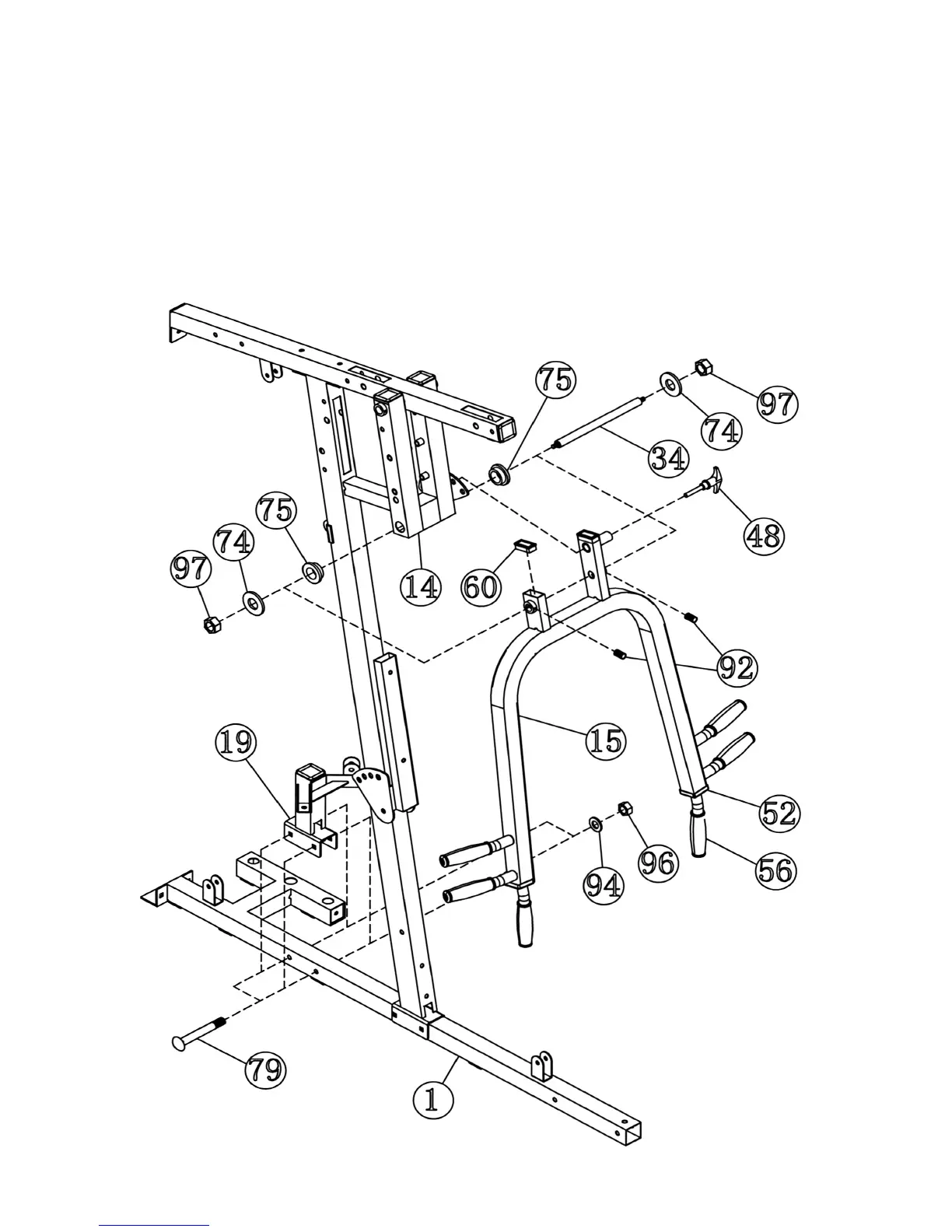
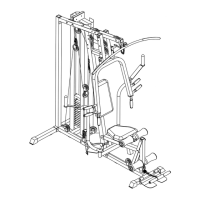
STEP 5 (See Diagram 5)
A.) Attach two ∅1 5/8” x ½” Bushings (#75) to the Front Press Base (#14). Attach the Front
Press (#15) to the Base. Align the holes then insert a M12 x 10 ¾” Axle (#34) through
the holes. Secure the Axle with two ∅ 1 ¼” Washers (#74) and two M12 Aircraft Nuts
(#97). Note: Do not over tighten the nuts. Make sure the Front Press Is able to Swivel.
B.) Secure the two M6 x ¼” Slotted Set Screws (#92) on the Front Press with a Flat Head
Screwdriver. Attach a Pull Pin (#48) to the left side of Front Press (#15).
C.) Attach the Butterfly Pulley Bracket (#19) onto the Main Base Frame (#1). Secure it with
two M10 x 2 ¾” Carriage Bolts (#79), ∅ ¾” Washers (#94), and M10 Aircraft Nuts (#96).
DIAGRAM 5
8



 To Next Page