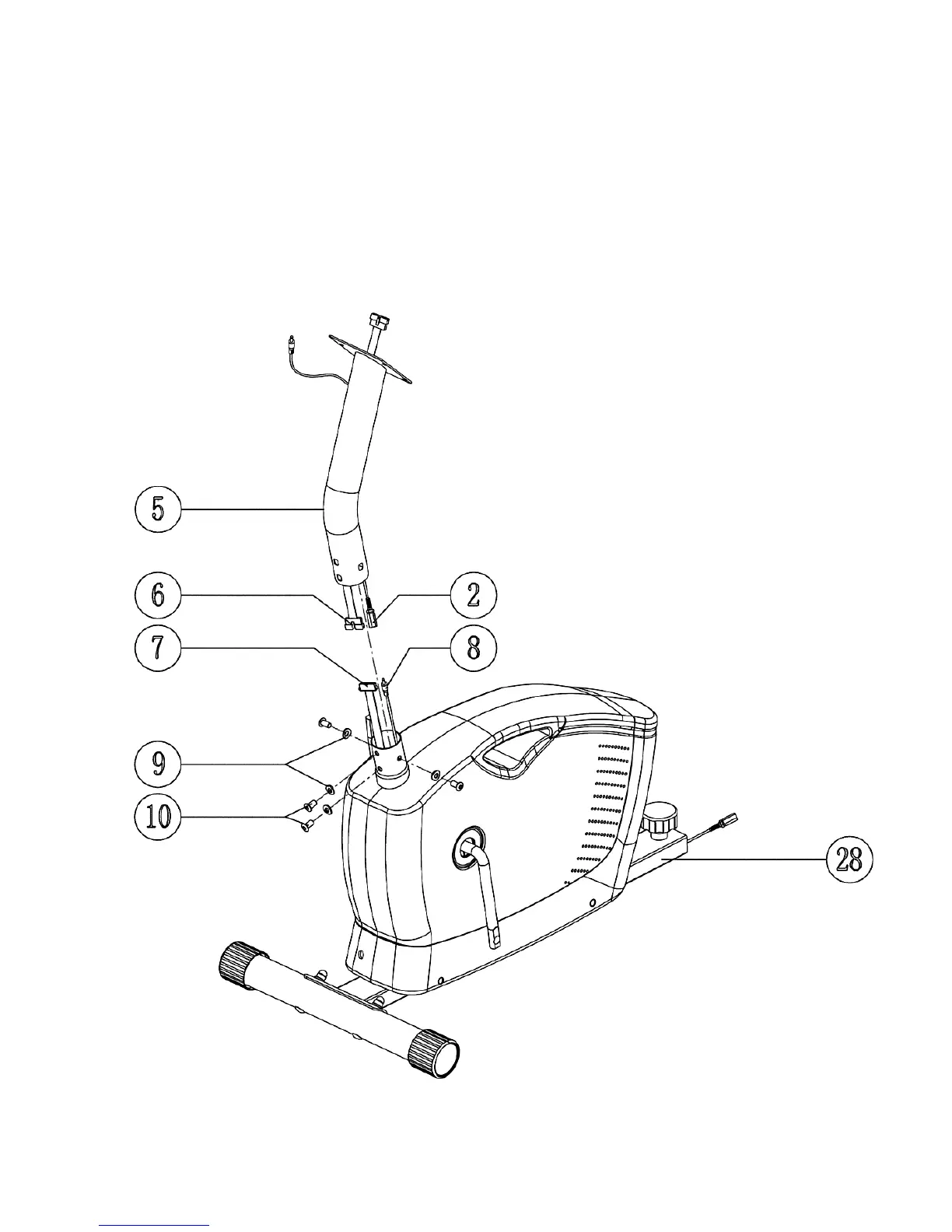
STEP 2 (See Diagram 2)
A.) Note: Extra help may be needed when installing the computer wires in Front Post (#5).
B.) Connect the Upper Computer Wire (#6) from the bottom of Front Post to the Lower Computer Wire
(#7) from the main Fame.
C.) Connect the Upper Pulse Sensor Wire (#2) from Front Post to the Lower Pulse Sensor Wire (#8)
D.) Attach the Front Post to Main Frame. Secure them together with four M8 x 5/8” Allen Bolts (#10)
and four Ø 5/8” Curved Washers (#9).
DIAGRAM 2
6








 To Next Page